
Component update:
Not required
Delete projects and your FrameAuth account
Project owners can now permanently delete projects, and users can securely delete their FrameAuth account.

You can now permanently delete projects and your FrameAuth account directly from settings. This safely cleans up connected data and billing.
Delete a project
Project owners can now delete a project from Project settings.
Store Plugins must be uninstalled first so connected services can clean up their data.
The project becomes unavailable as soon as deletion starts, including its live site, dashboard, and Framer canvas connection.
The project’s subscription is cancelled immediately.
Delete your account
You can start account deletion from Account settings, or from the project picker if you don’t have any projects.
You’ll need to delete any projects you own before deleting your account.
We’ll email you a secure confirmation link. It’s valid for one day and must be opened while you’re signed in to the account being deleted.
FrameAuth safely removes your billing and marketing records before deleting the account and signing you out.
Before you delete
Project and account deletion cannot be reversed. There is no archive or restore option, so make sure you no longer need the project or account before confirming.
Component update:
Not required
External purchase controls for Stripe and Lemon Squeezy
External checkouts are now safer, with unknown products ignored and a new option to disable external purchases.
We’ve improved how Stripe and Lemon Squeezy webhooks handle purchases made through external checkouts, including payment links and sandbox transactions.
Safer webhook processing
FrameAuth now ignores webhook events for products that haven’t been imported. This prevents unknown products from creating members without tags or sending unexpected invitation emails.
Choose whether to accept external purchases
External purchases remain supported, but you can now opt out at the plugin level when you only want FrameAuth to process purchases from your connected products and checkout flow.
Find the setting under Plugins → Stripe or Lemon Squeezy → Webhooks → External purchases.

Component update:
Not required
Project logos
Add your logo in emails and the dashboard
It's now possible to set a project logo to further personalize emails sent to your users.
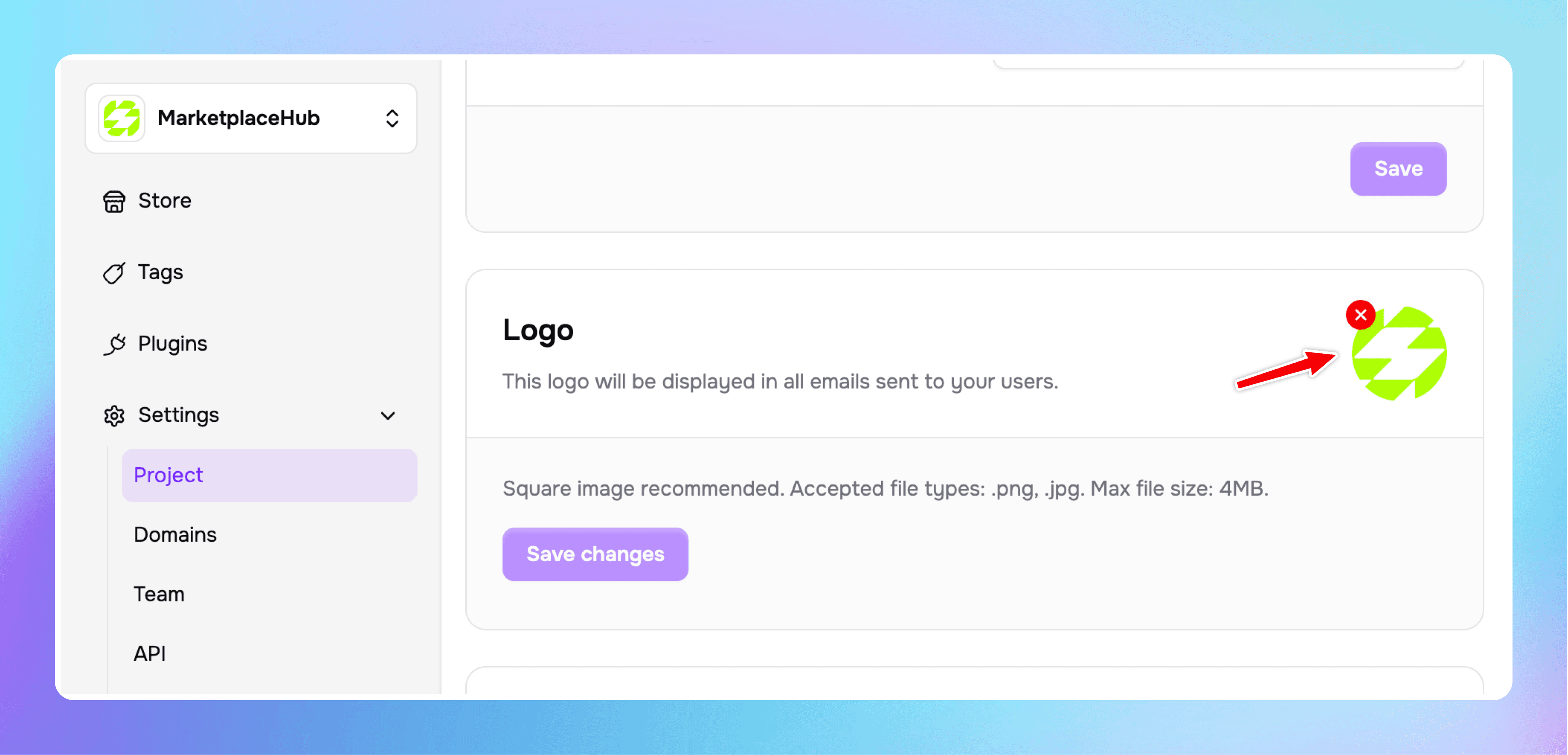
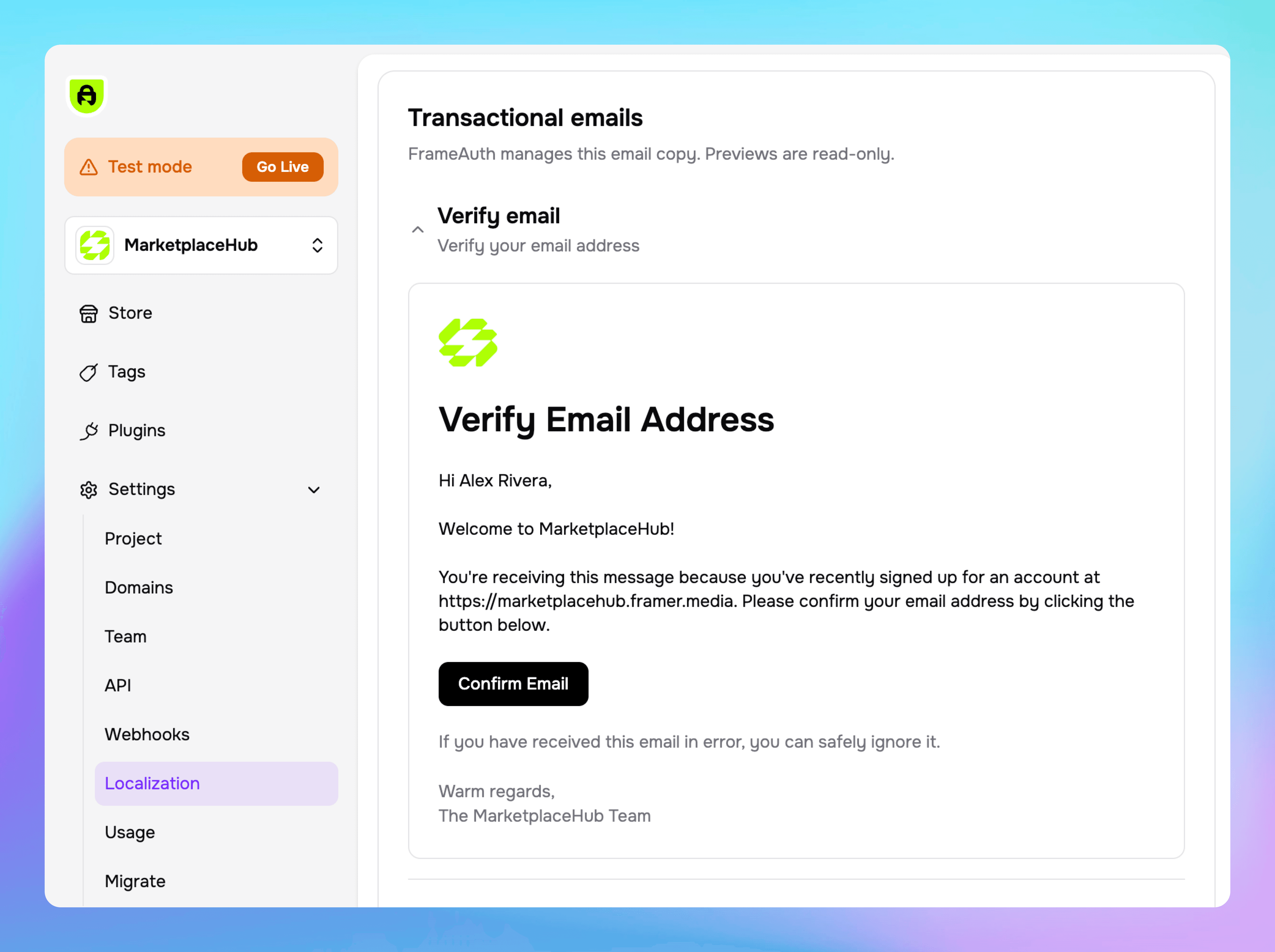
Your logo will appear in transactional emails to your users. Preview the logo on the localization page. All future emails will include your logo at the top of the message.
Component update:
Not required
Archive Products
Archive products to prevent new purchases and free up plan usage while existing customer access keeps working.
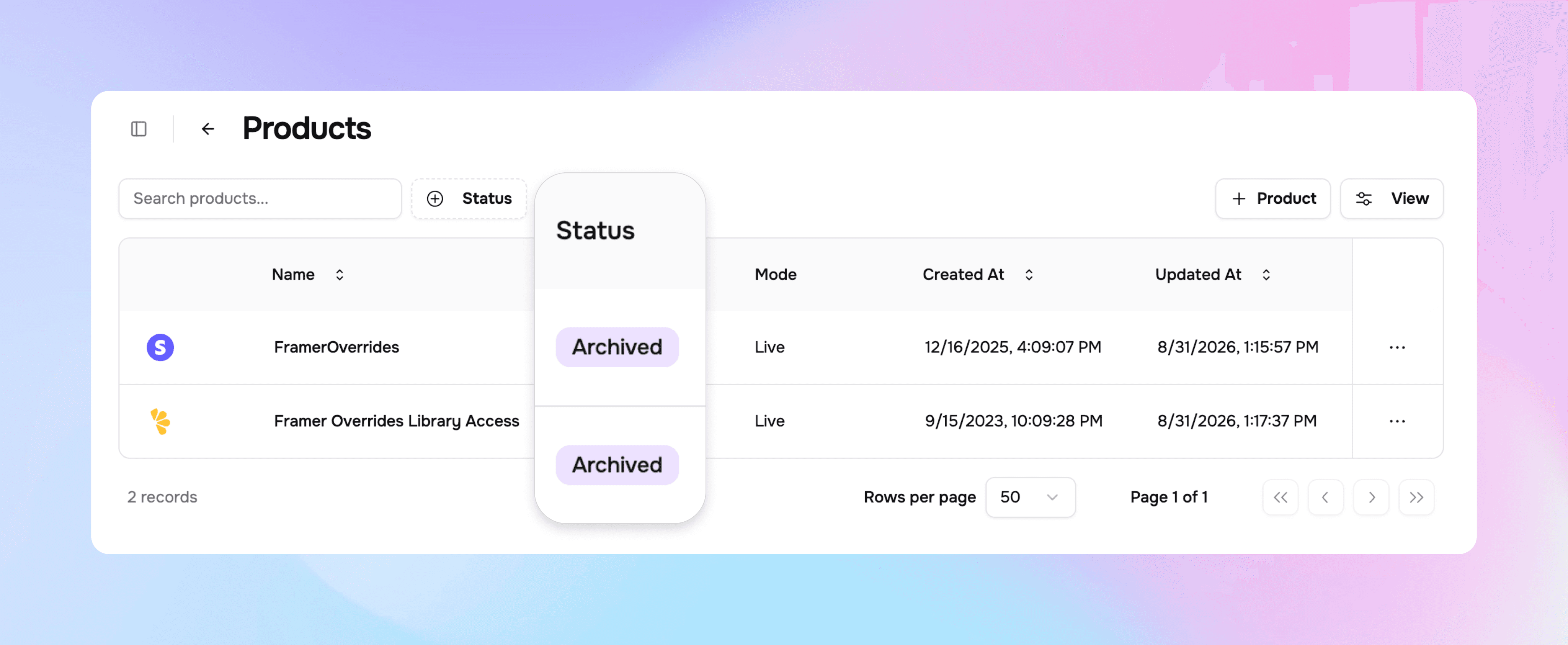
You can now archive a connected product to safely stop future purchases without disrupting existing customers.
Existing purchases, subscriptions, licenses, and tags continue working as before.
Why archive a product?
Prevent new customers from buying a product you no longer sell.
Remove archived products from your plan’s active product usage.
Keep historic purchases and tag entitlements unchanged.
Component update:
Not required
Introducing Localization!
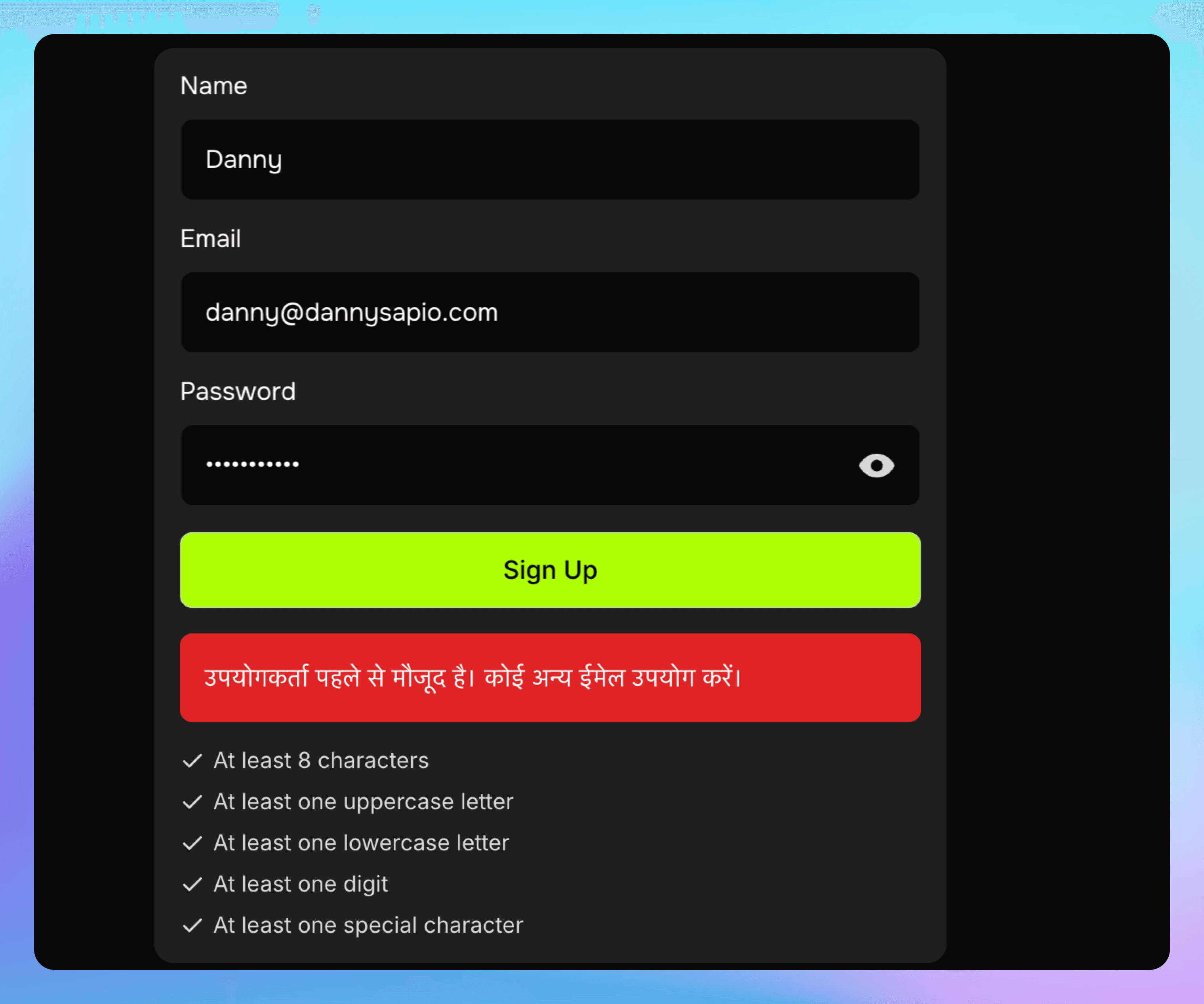
Provide clear messaging to your users in the language of your choosing. 10 languages available!

The new localization plugin enables you as the project owner to select which language the emails and error messages should be sent in.
Enable the Localization plugin to activate.
Available languages:
English — English
Chinese — 中文
Spanish — Español
French — Français
Arabic — العربية
Portuguese — Português
Russian — Русский
German — Deutsch
Japanese — 日本語
Hindi — हिन्दी
Localized emails:

Localized errors:
Component update:
Required
Improved error handling for profile photos
Profile photo uploads now show clearer errors when something goes wrong.
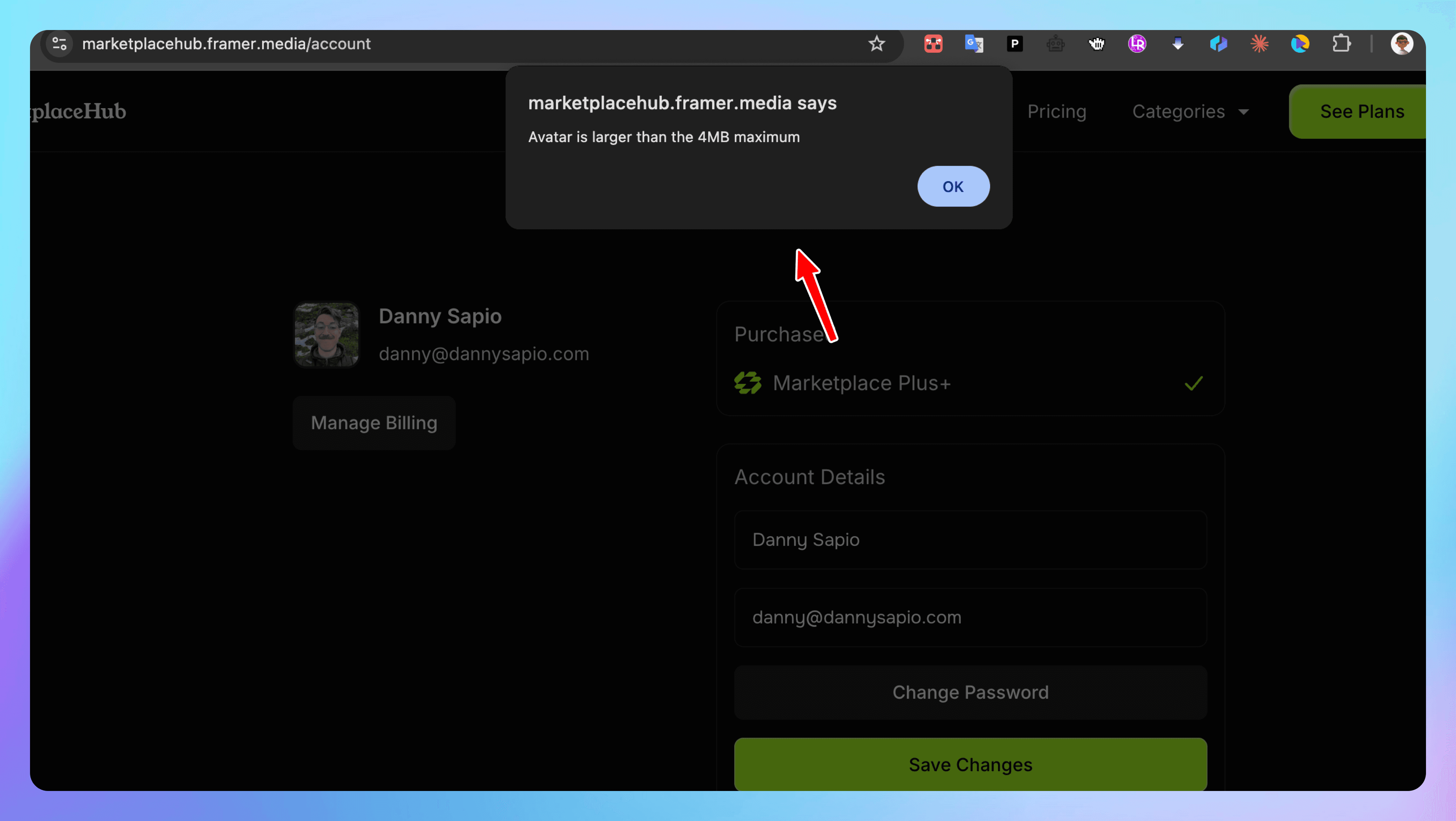
We’ve improved error handling for profile photo uploads. When an upload can’t be completed, users now receive clearer feedback so they can quickly understand and resolve the issue.
Update your FrameAuth components in Framer to enable this improvement, then publish your website. No additional configuration is required.
Component update:
Not required
Google sign in and sign up in our admin dashboard
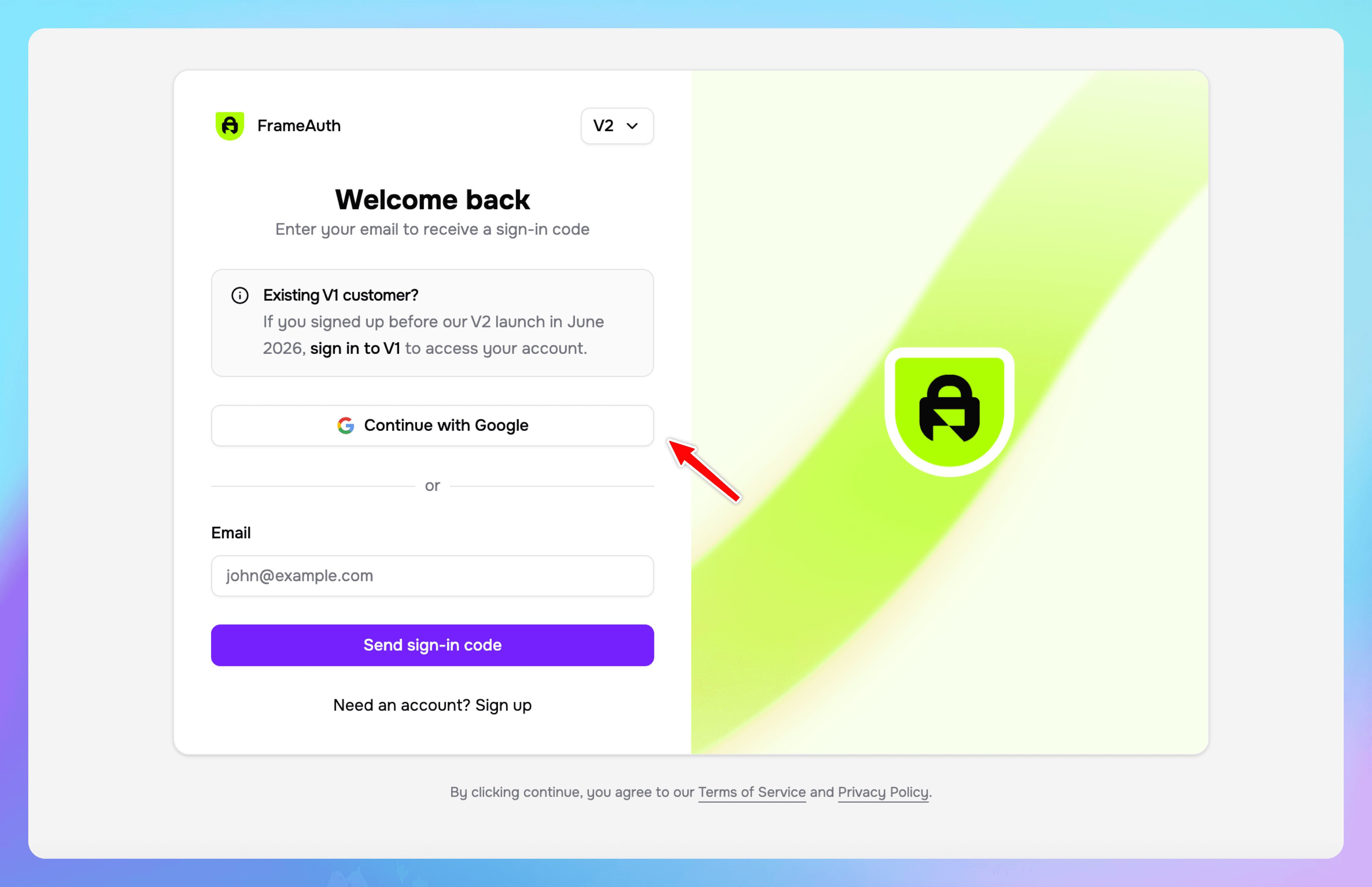
You can now access the dashboard with Google in addition to OTP.
You can now sign in or create a FrameAuth account with Google directly from the dashboard. OTP remains available, giving users a faster choice for accessing their account.
Component update:
Not required
Bulk import users to your website
Import users in bulk through the dashboard
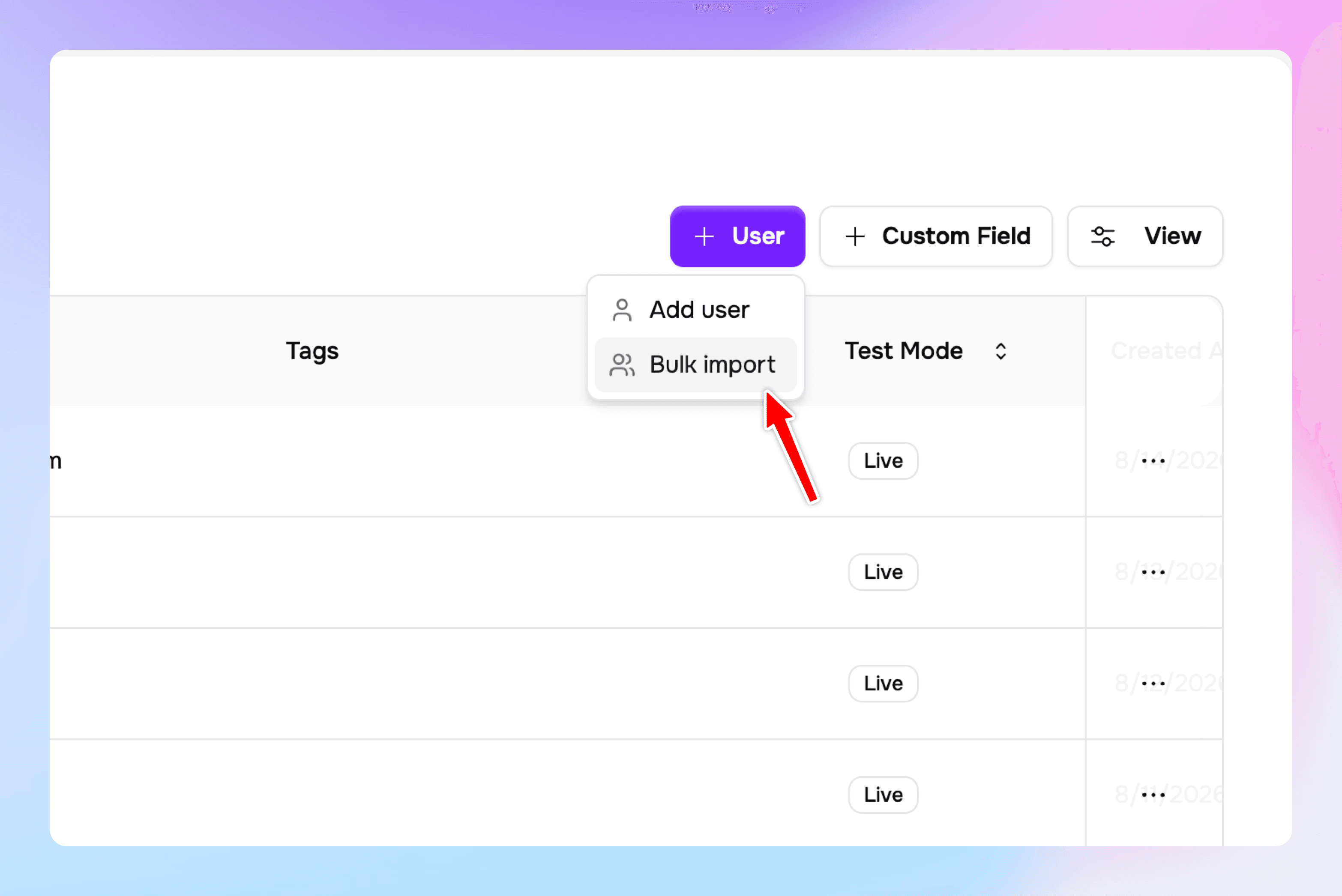
It's now possible to bulk import users to your membership site. Click '+ User' on the users page in the dashboard then select 'bulk import.'
Component update:
Required
Sign up via OTP
Previously only sign in via OTP was possible, now visitors can sign up and sign in with a one time code.
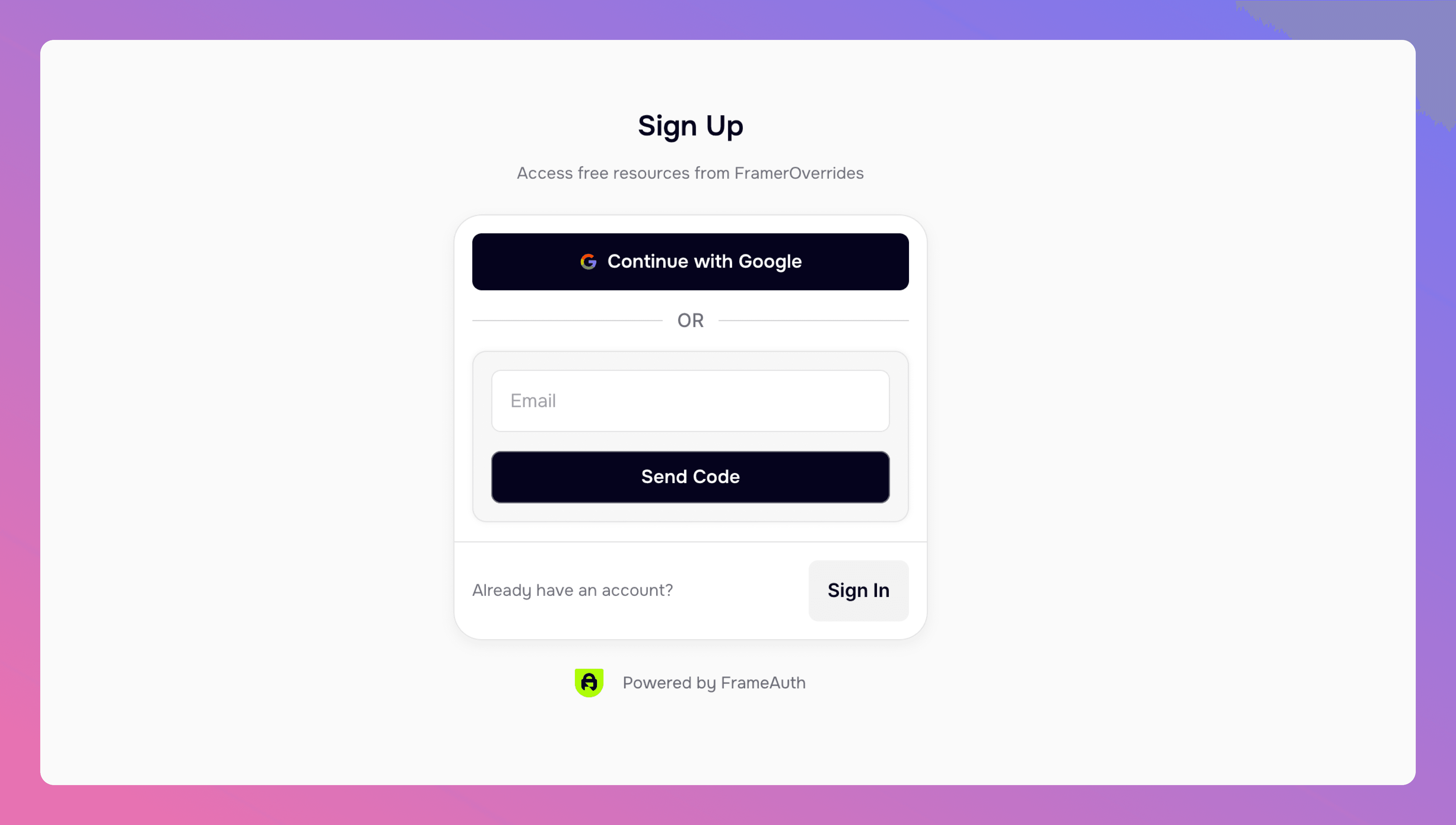
Passwordless sign up is here. Visitors can now create an account with just an email address. No password required.
It uses the same SendOTP form you're already using. A visitor enters their email, gets a 6-digit code, and if no account exists for that address, one is created instantly.
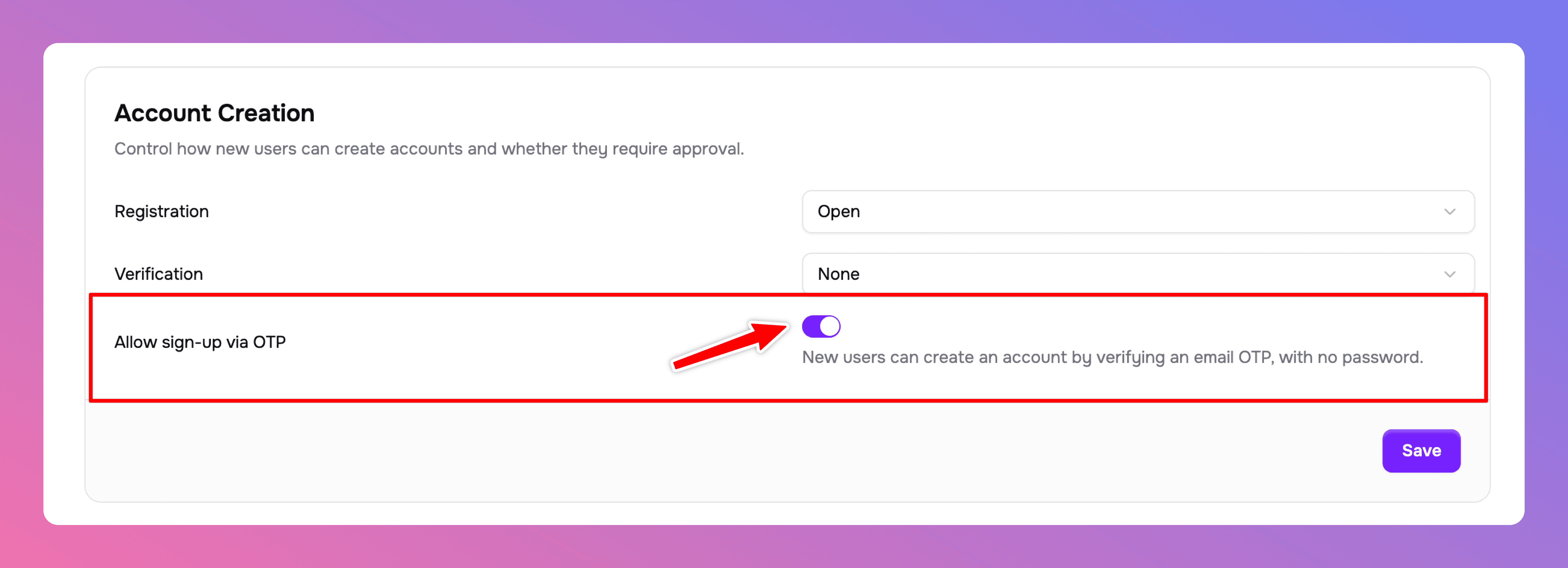
To enable it, go to account creation settings and turn on "Allow sign-up via OTP."
Component update:
Not required
Project Creation in Plugin
It's now possible to create new projects directly in the plugin
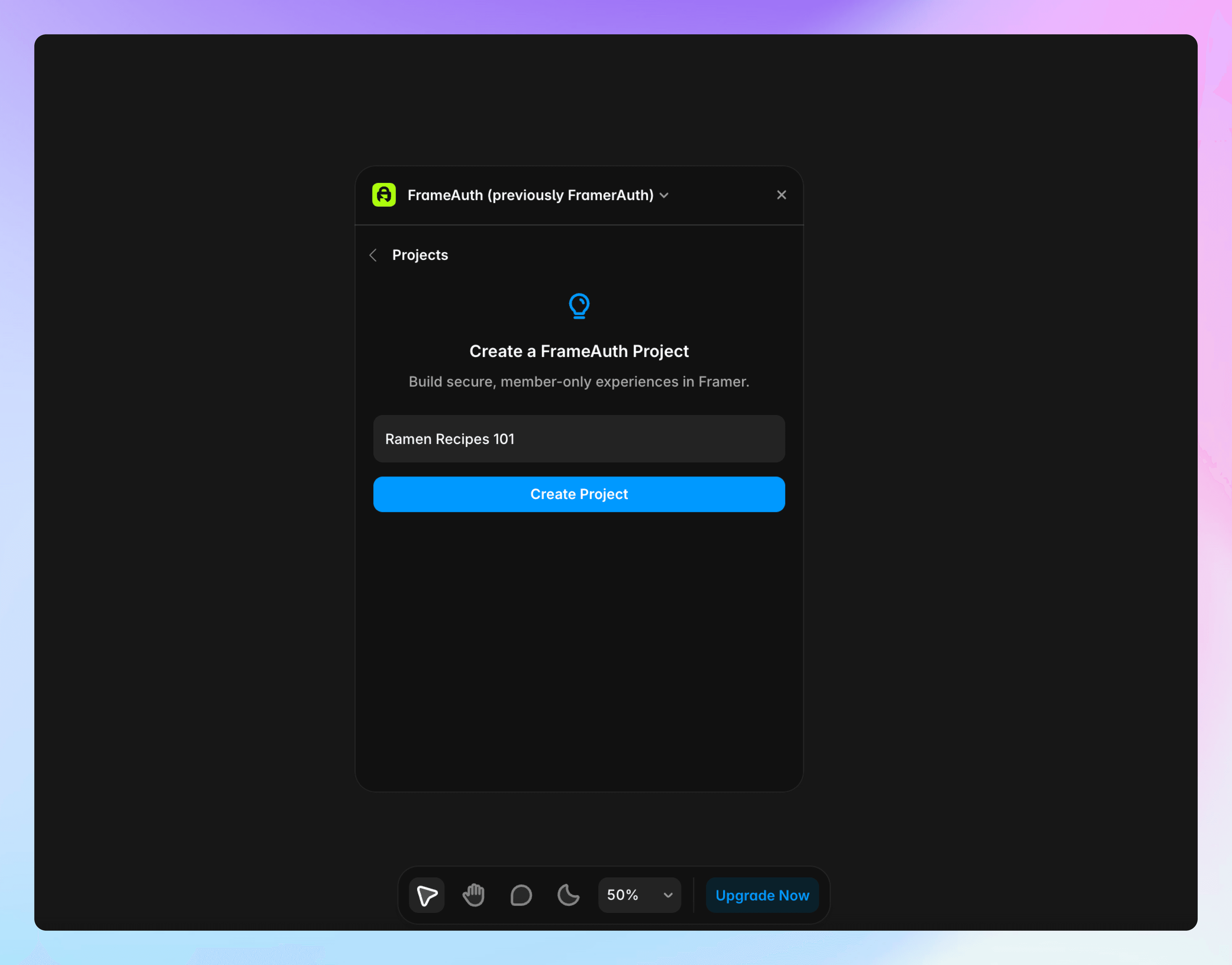
We've added the ability to create new projects from within the plugin. No more going to the dashboard to add projects. This makes signing up faster and improves the experience for existing customers creating projects.
A new project is considered a new workspace. Each project has its own editors, products, users, etc.
Component update:
Not required
Tags in user table
Tags are now displayed in the user table to provide a high level overview
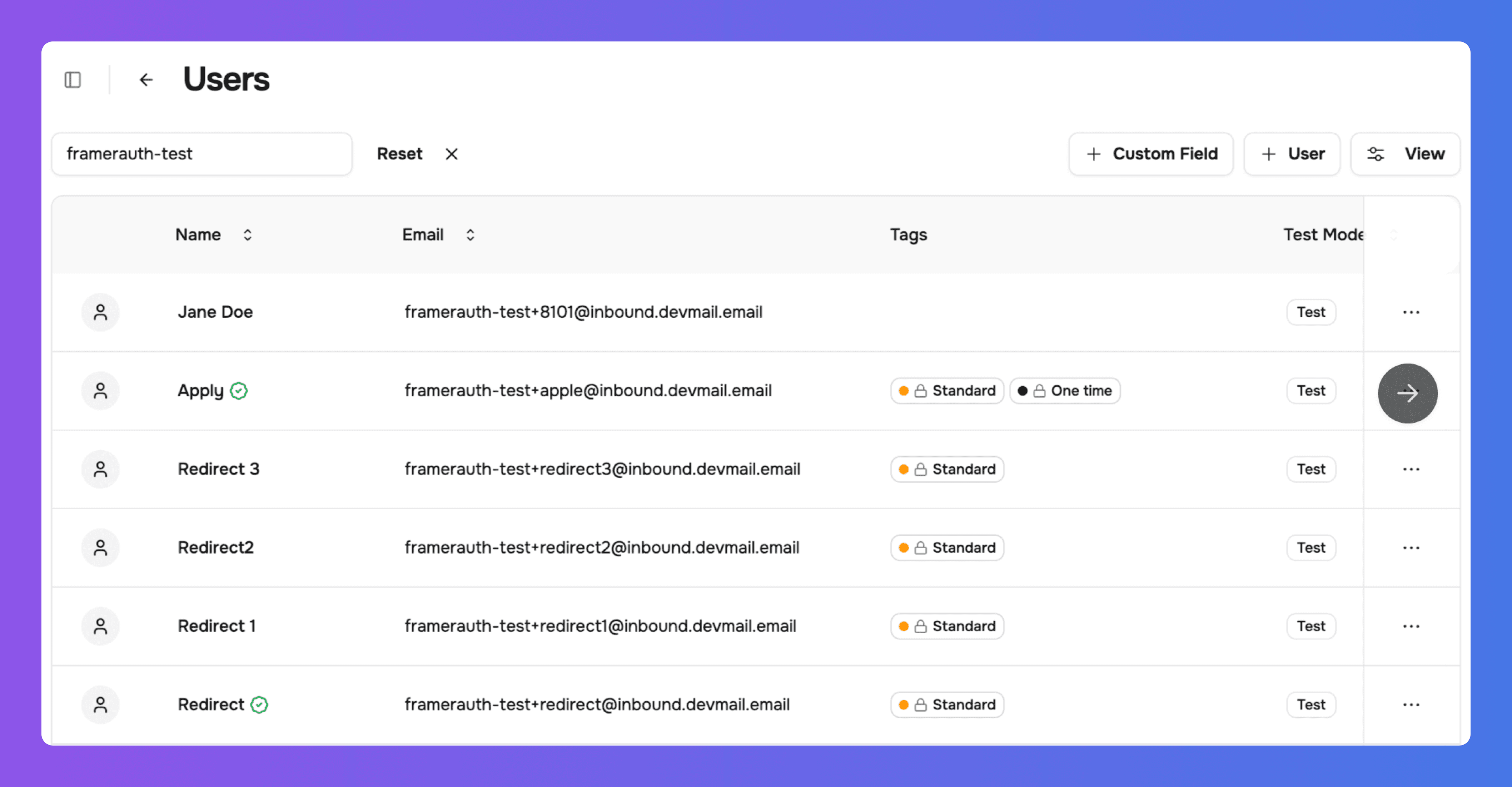
It's now possible to see which tags your users have at a bird's eye view with the tags being displayed in the user table.
Component update:
Not required
Dashboard Refinement + Reskin
We've improved the look, feel, and usability of the dashboard
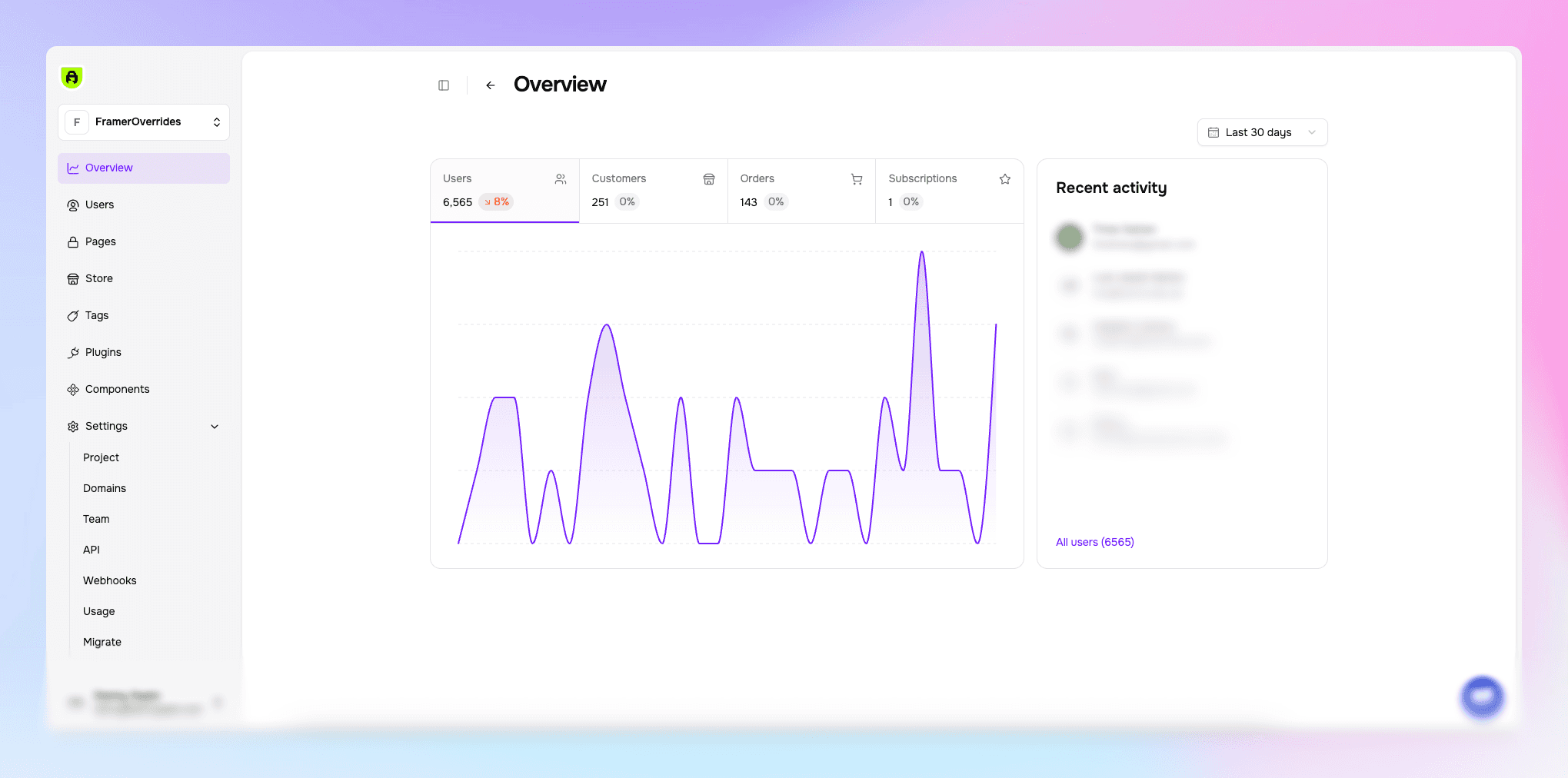
Today you'll notice that the dashboard got freshened up with visual and functional updates.
Improved overview graph
Go-live banner less intrusive
Empty states
Mobile fixes
Settings dropdown for faster navigating
Many more visual improvements
Component update:
Required
Set and update a password via the Profile form
Users now have a way to set a password or change their password through the profile form.
Manually invited users and users whose accounts were created through a purchase can now set a password directly from the Profile form. This makes it easier for them to sign in on future visits.
Previously, invited users could sign in through their invitation email, but on returning visits they had to use OTP, OAuth, or the password reset flow to set a password. This experience was unnecessarily complicated.
Now, users can set a password from the Profile form during their first visit. Any user can also change their password from their profile at any time.
Update your FrameAuth components in Framer to enable this improvement. No additional configuration is required, although you can customize the secondary button style to match your site.
Component update:
Required
ReCAPTCHA Plugin
Protect sign up and sign in forms from automated abuse using your own Google reCAPTCHA keys.
reCAPTCHA is a free Google service that protects websites and mobile apps from spam, bots, and fraudulent activities. It analyzes user behavior or presents tests (like image puzzles or mobile verifications) to verify the visitor is human, ensuring safe and seamless access.
To use:
Component update:
Not required
Stripe support for iDEAL (Wero)
We've added support for payments from iDEAL (Wero)
We've added support for payments via Wero (previously iDEAL). Head to the Stripe plugin to enable.
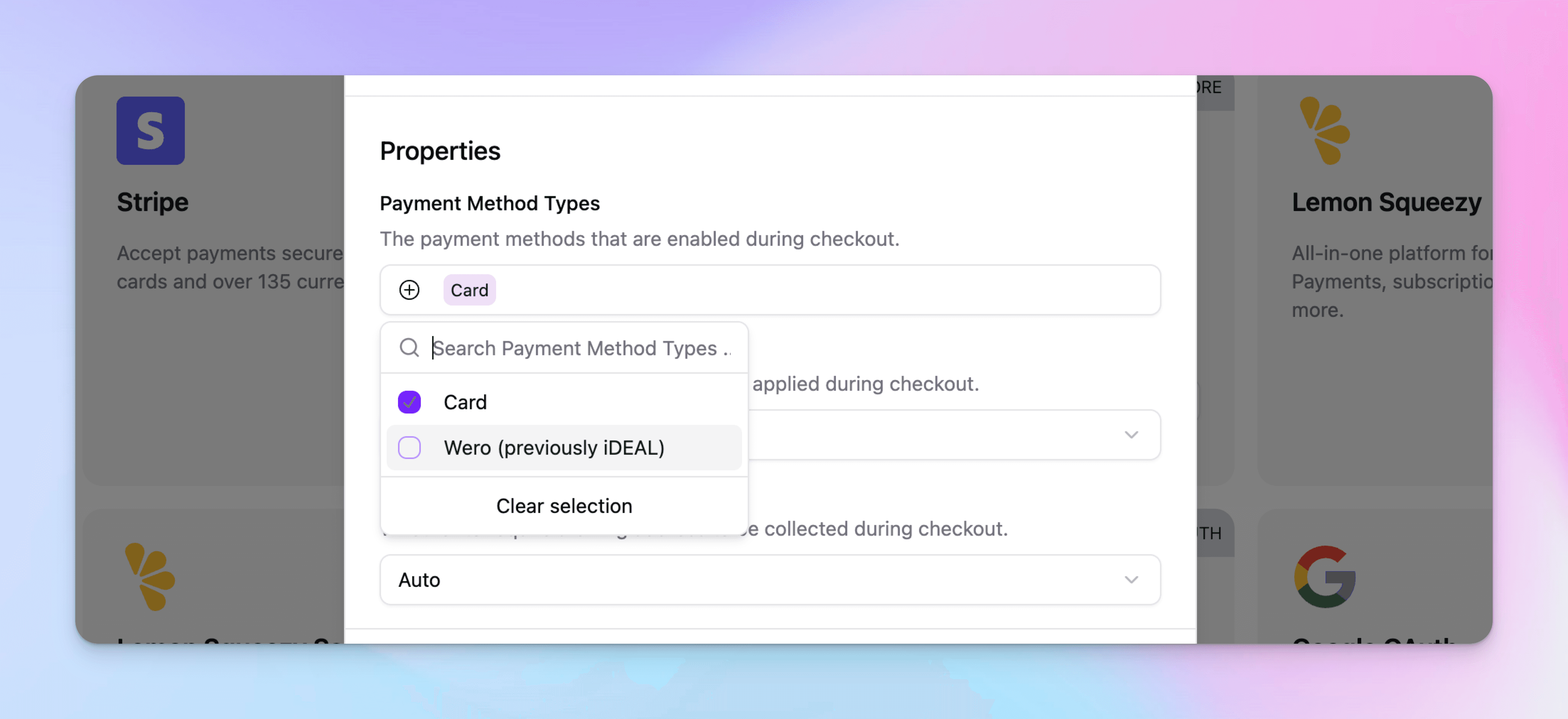
Requirements
Wero is only supported for EUR products
Limitations
Supported business locations: Europe, US, CA, NZ, SG, HK, JP, AU, MX
Supported currencies: eur
Presentment currencies: eur
Payment mode: Yes
Setup mode: Yes (We don't support Setup-mode transactions)
Subscription mode: Yes
When using iDEAL | Wero with FrameAuth, the Stripe Connect connected account’s name must map to its actual business, not to the platform. This is important for regulatory compliance and customer trust, because customers will see this business name during the iDEAL | Wero payment flow.
Component update:
Not required
Bookmark management API
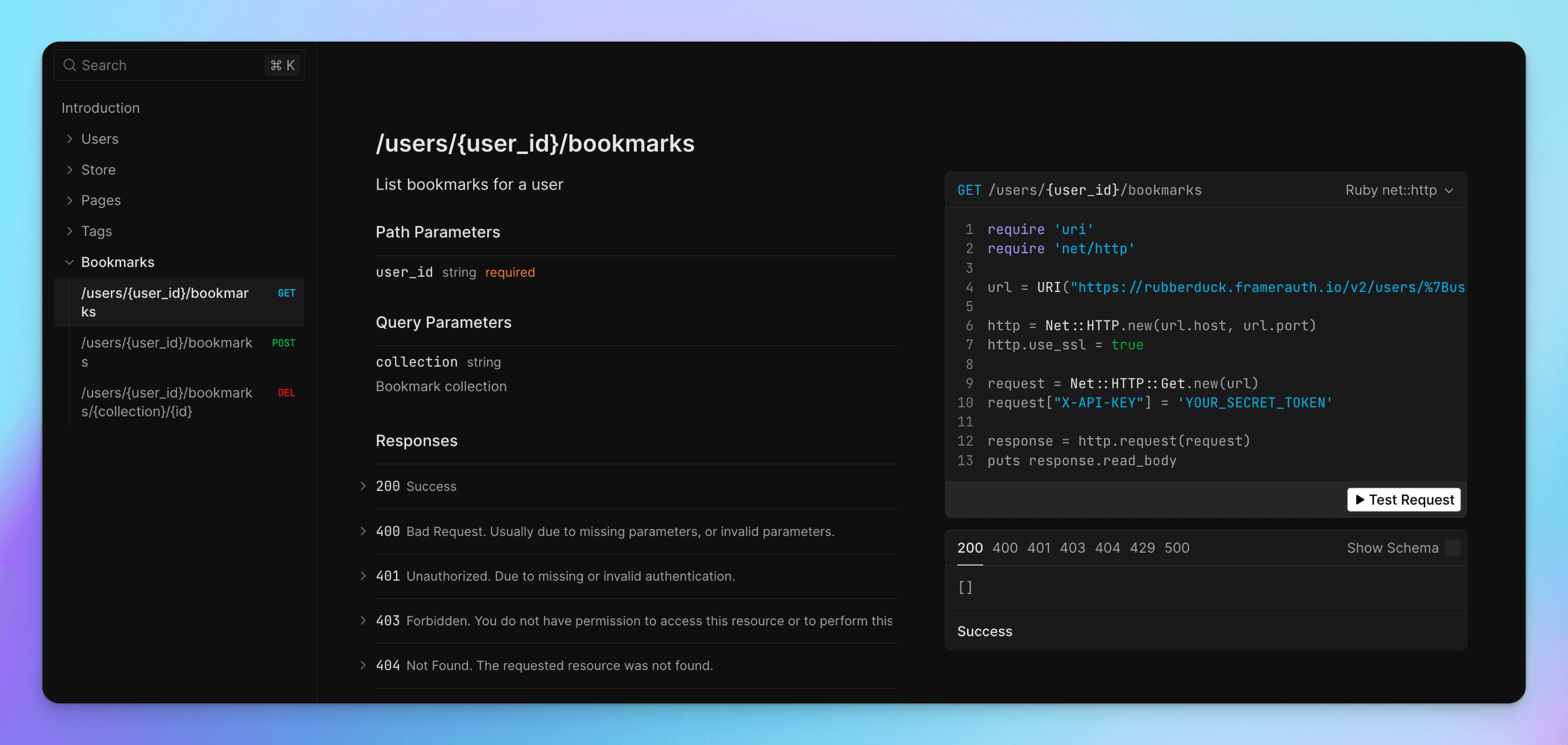
The API now enables bookmarking data management for users.
List bookmarks for a user
Create a bookmark for a user
Delete a bookmark for a user
Component update:
Required
Introducing V2! The Future Is Here.
The future of our platform, a complete rebuild.
We could not be more excited to unleash our release creation, V2!
V2 is not an incremental version, it's a complete rebuild of our entire platform and it unlocks numerous powerful possibilities.
A lot is new in V2:
Stripe
Multi-product support (Stripe & Lemon Squeezy)
Removal of license keys
Google OAuth
GitHub OAuth
Custom fields
API
Webhooks
Team access
Multi-project
Analytics
Sign in via OTP
Email verification
Profile photos
Account validation
Tags (access controls)
Existing customers - migration required to use V2
Since V2 is a completely rebuilt platform, existing customers will need to migrate in order to gain access to these new features.
Component update:
Not required
We rebranded! FramerAuth is now FrameAuth
We have rebranded to a new identity going forward.
Today, we’re excited to share a simple but meaningful update: FramerAuth is now FrameAuth.
While our name is changing, our mission remains unchanged.
Component update:
Not required
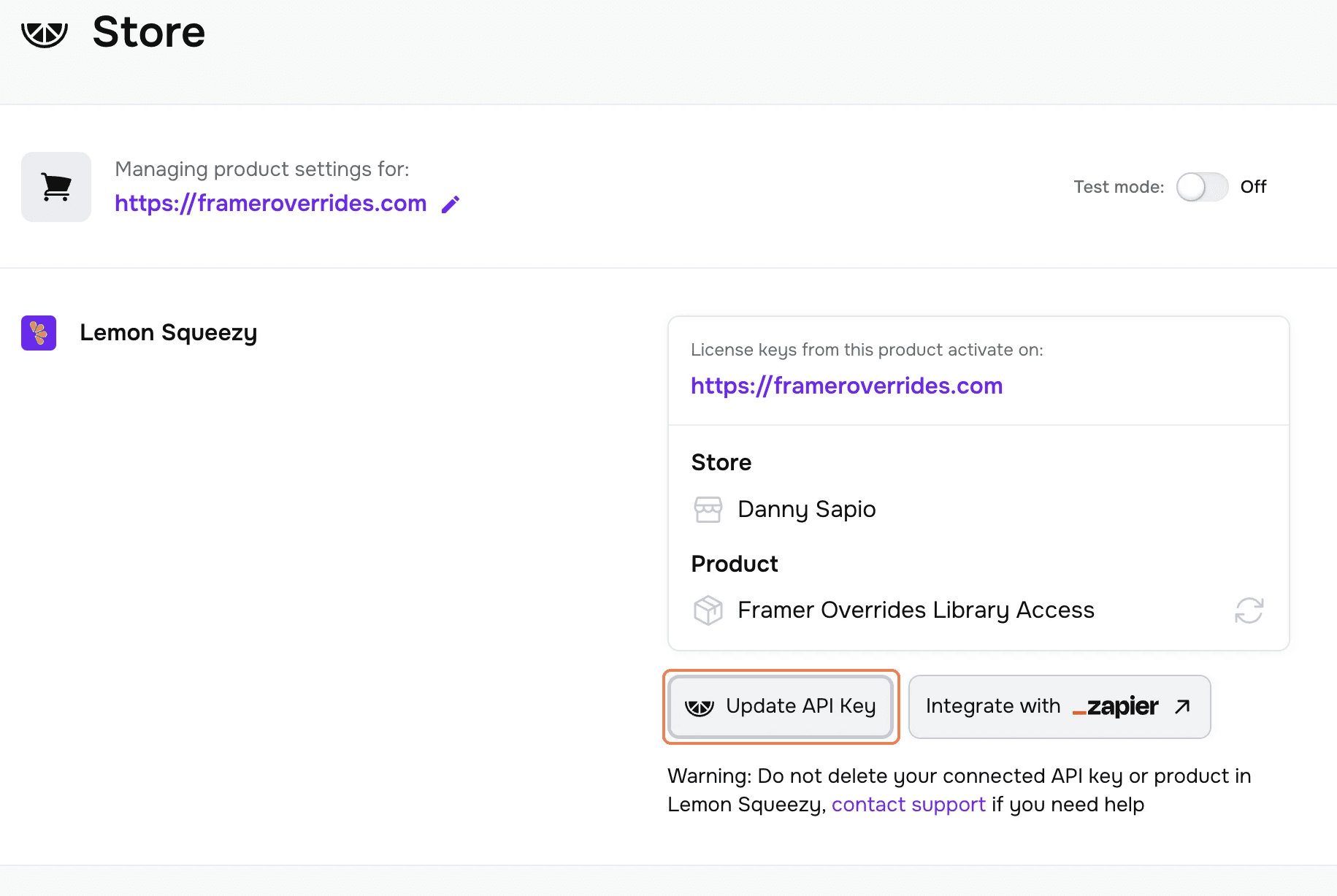
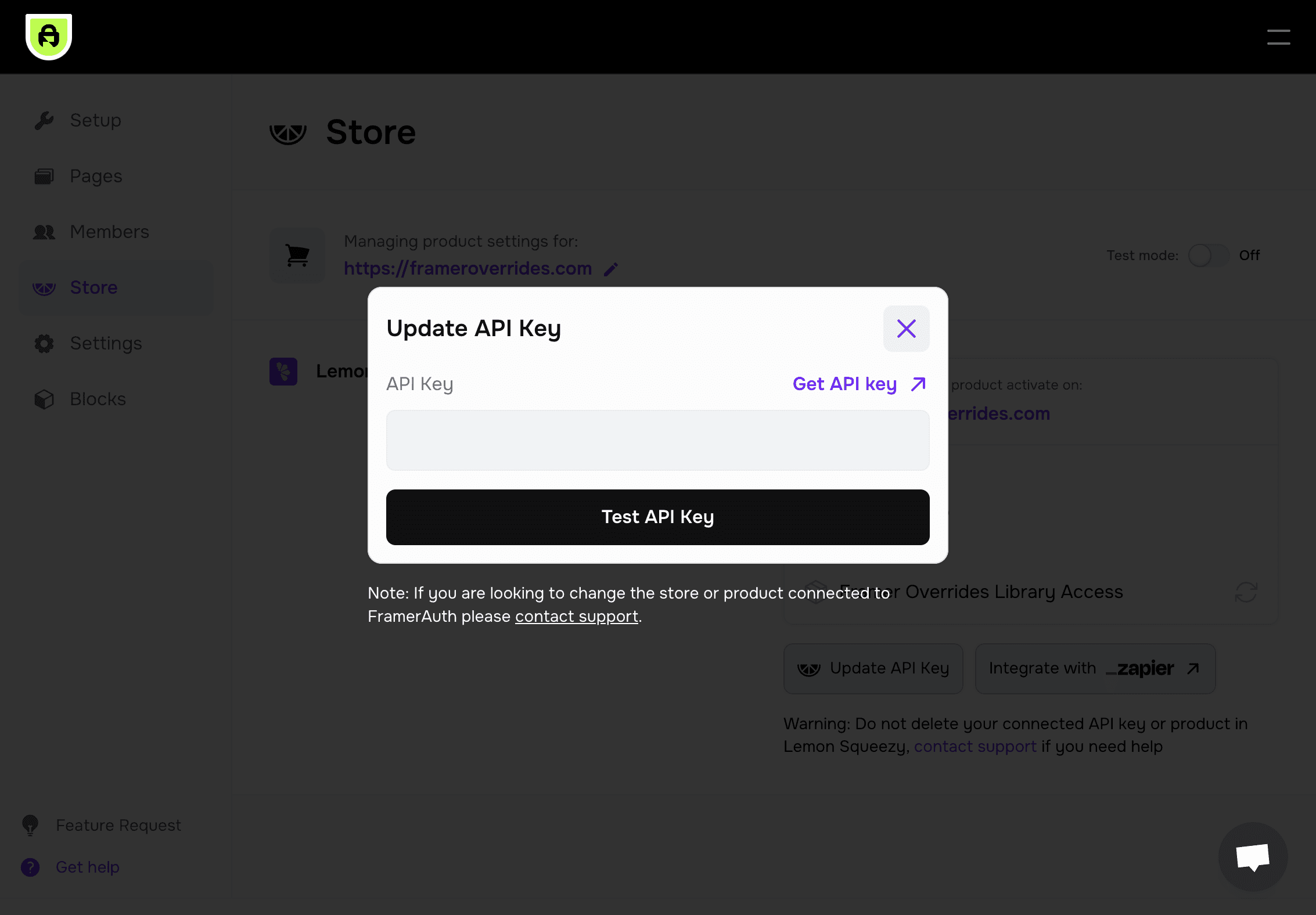
Update API Key
Update expired or deleted API keys
We've added the ability to update an API key in the event that it has been deleted or expired.
Component update:
Not required
Introducing the FramerAuth plugin for Framer!
We've launched a native plugin for Framer
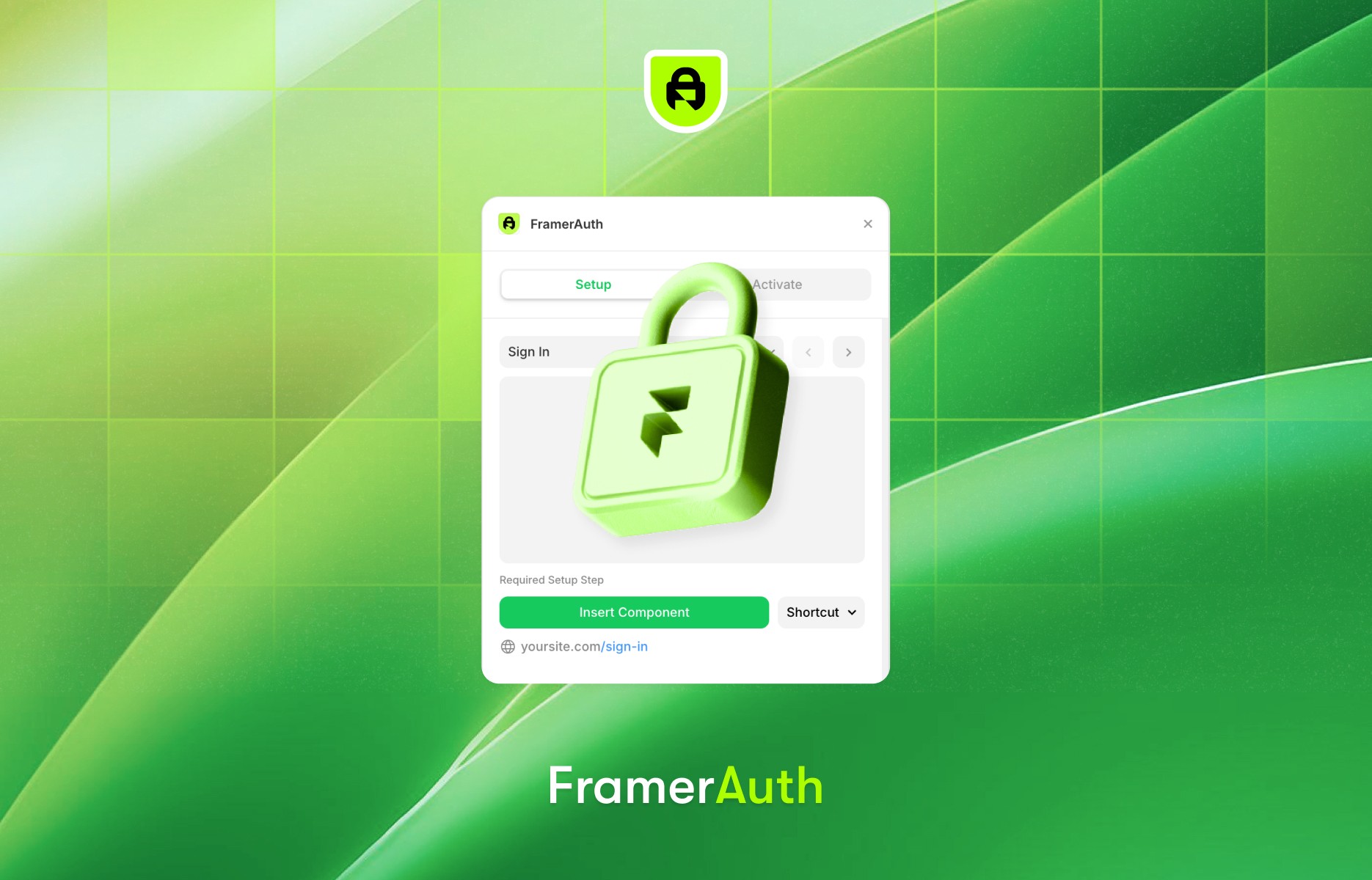
We’re thrilled to announce that Framer has officially launched its plugin ecosystem, and FramerAuth is proud to be one of the first plugins available for all creators!
Earlier this year, we had the opportunity to collaborate with the Framer team as part of a select group of developers working on this top-secret project. Today, we’re excited to unveil our plugin that enhances your Framer experience in powerful ways.
What's better with the plugin:
Lock Pages In Framer: Manage locked pages directly within the FramerAuth plugin, streamlining your workflow.
Guest Experimentation: Try out auth components without needing a FramerAuth account. Sign up only when you’re ready to activate features, making experimentation simpler than ever.
Configuration Issue Detection: Our plugin automatically detects configuration issues—like missing scripts or misaligned settings—so you can resolve them with just a click.
Centralized Management: The greatest advantage? Seamlessly manage your site settings, set up authentication, and lock pages—all from within Framer. No more toggling between our site and Framer; everything you need is now at your fingertips.
We’re stoked for you to explore the FramerAuth plugin and can’t wait to hear your feedback!
Try the Plugin
Watch Tutorial
Component update:
Required
Bookmarking/Save-For-Later and v1.0 overrides
If you signed up before July 23, 2024 then a migration is needed to enable bookmarking. Follow the guide below.
Bookmarking can now be added to your FramerAuth powered website!
Our override file has also been revised to enhance your website's speed and power like never before.
What's new in the migration:
Bookmarking/save-for-later is now available for setup on your website.
Super speed your site. Making sign in, sign up, and activate license keys instant - no page refreshing needed. Your locked pages will also load faster.
Auth widget and withAuth override are no longer needed.
Head over to the Migration Guide to learn more and complete the migration.
Component update:
Not required
Sync product variants
Sync your Lemon Squeezy product variants
We've fixed an issue that was preventing automatic product updates from syncing for some customers. If you've made updates to your Lemon Squeezy product and it hasn't synced, you can now manually re-sync with a new option we've added.
If needed, products can be synced on the Store page.

Component update:
Required
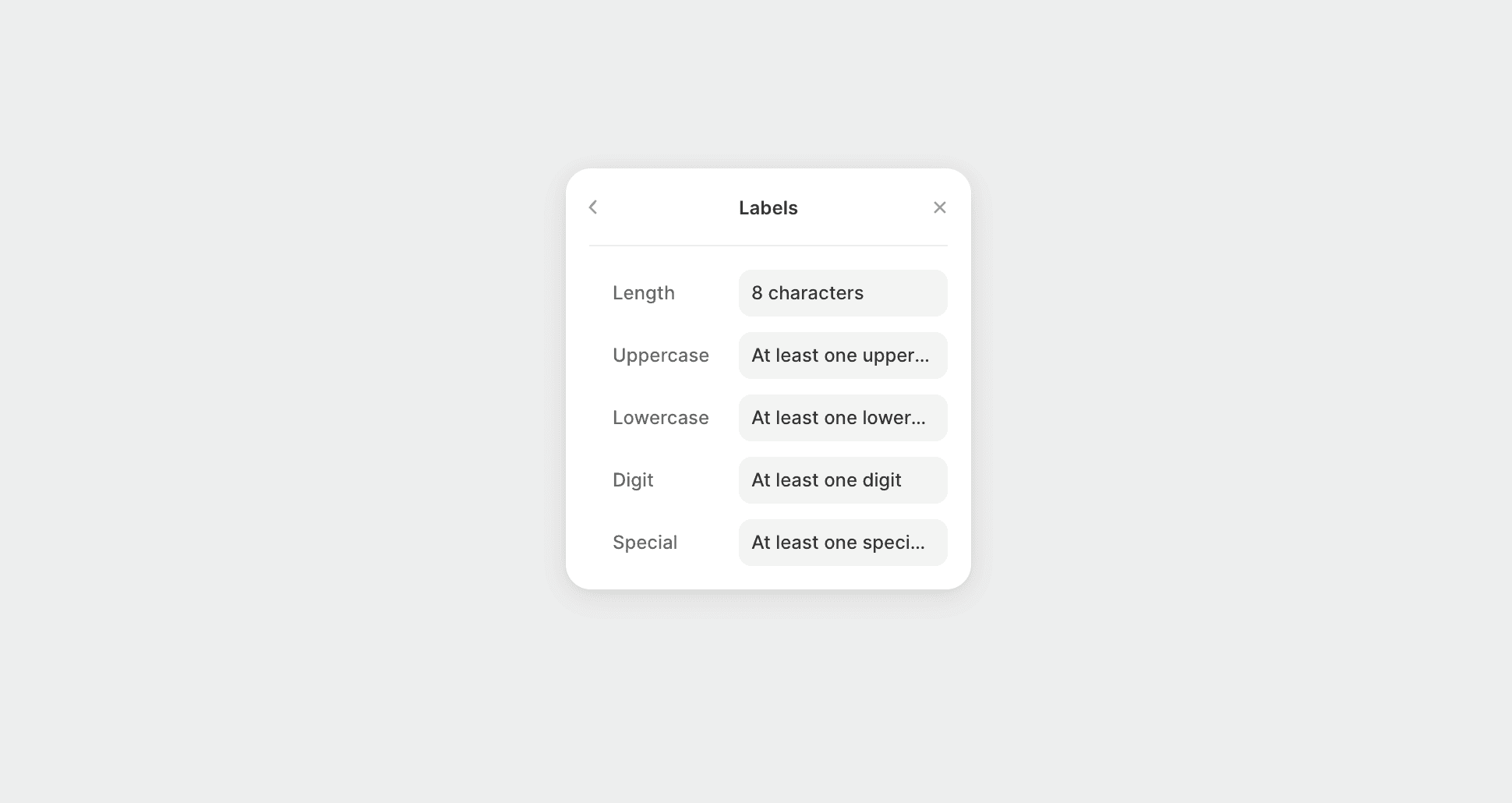
Edit password validator text labels
Edit the labels of any text in the password validator
We've added the ability to edit the text labels for the requirements of a password in the password validator. This unlocks the ability to make further customizations to the sign up form or change password form.
This control is located under password validator > labels
Please update these components in Framer by clicking update in the assets tab.
Component update:
Not required
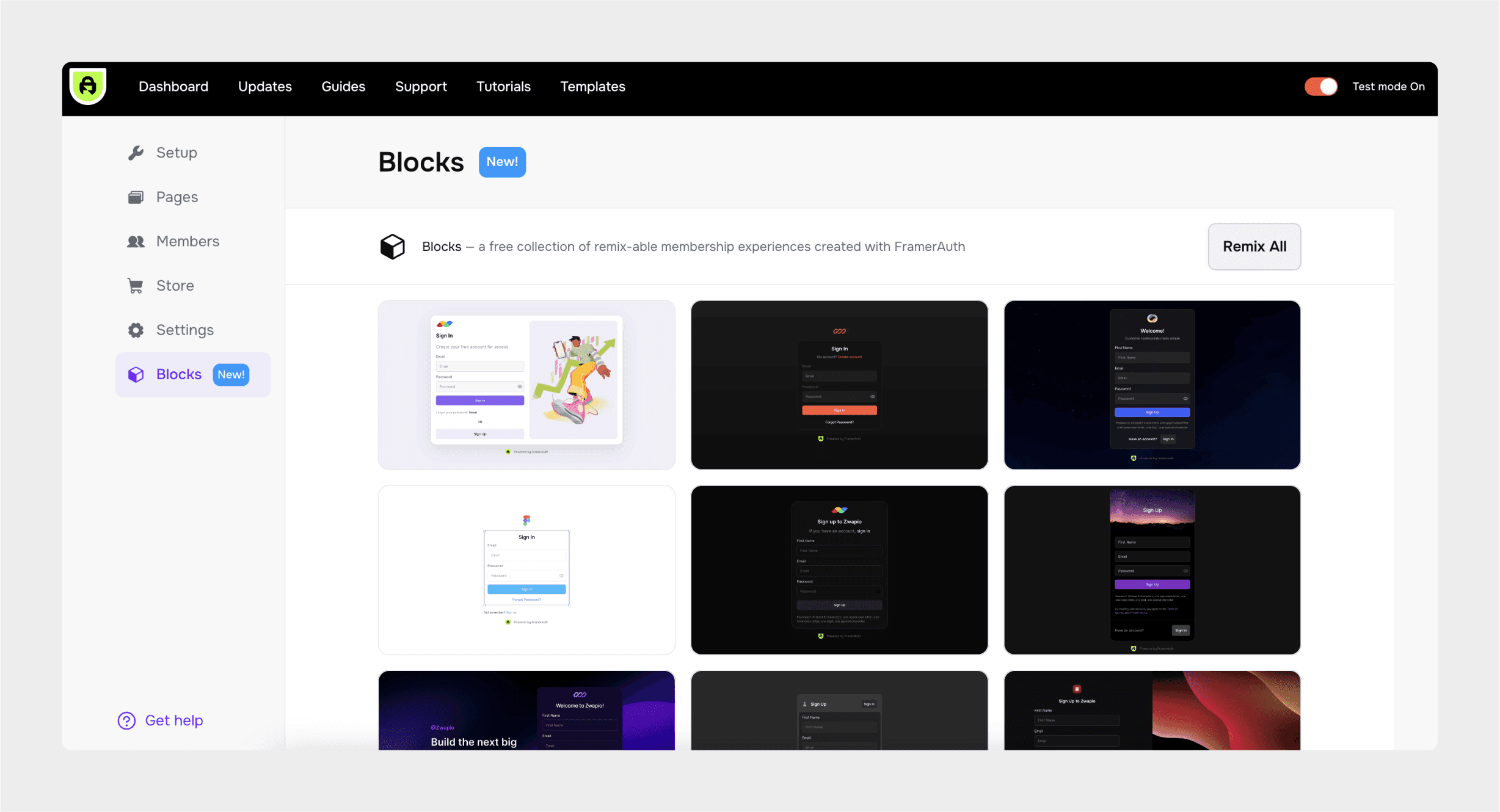
Introducing Blocks
A free collection of remix-able membership experiences created with FramerAuth
Component update:
Required
Profile form and added controls to existing forms
Introducing the member profile form and various form updates
Member profile form
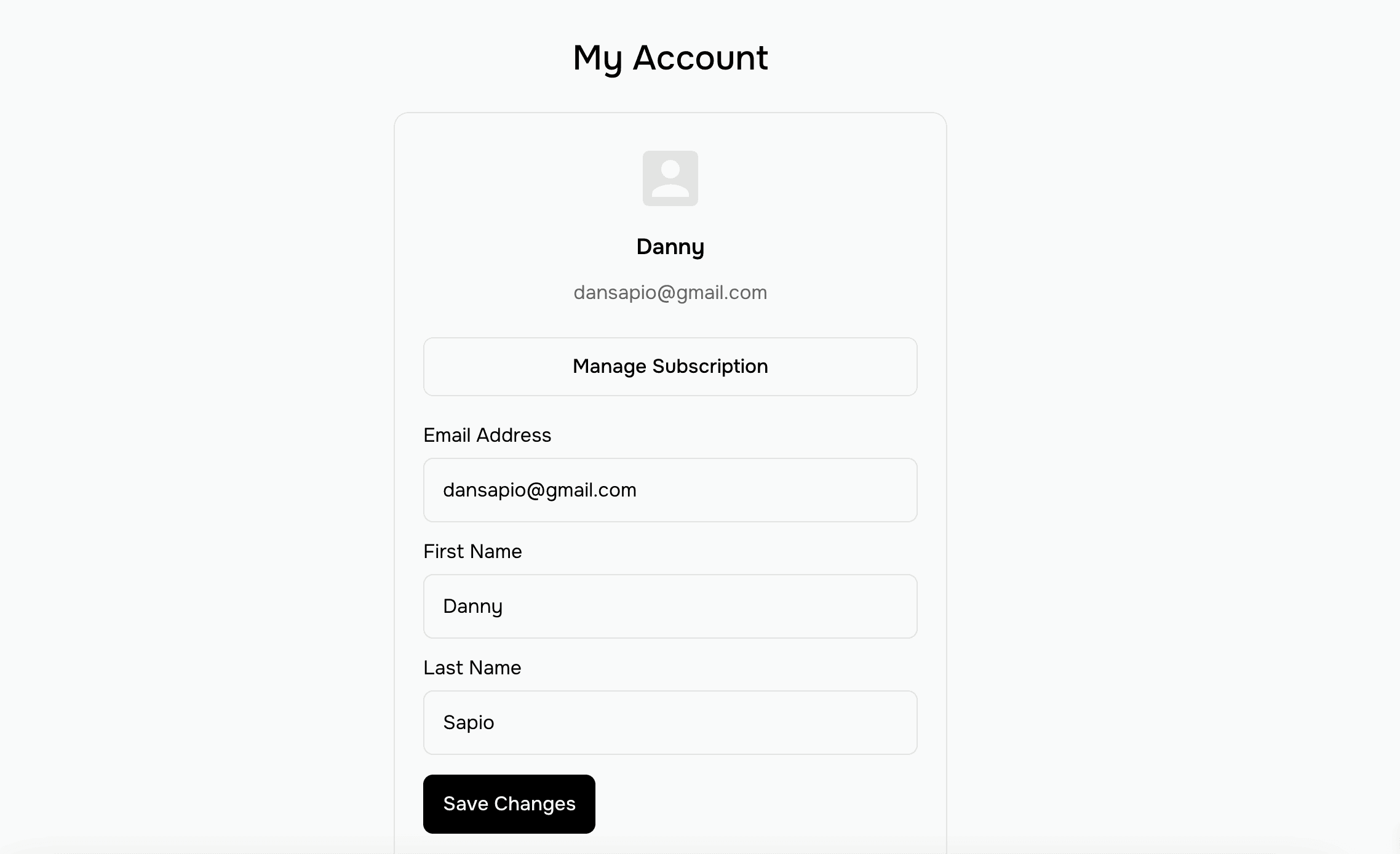
This new form allows your members to make changes to their email, first name, and last name. Get this new component from the Setup page to add it to your website.
Show/hide password for all password inputs
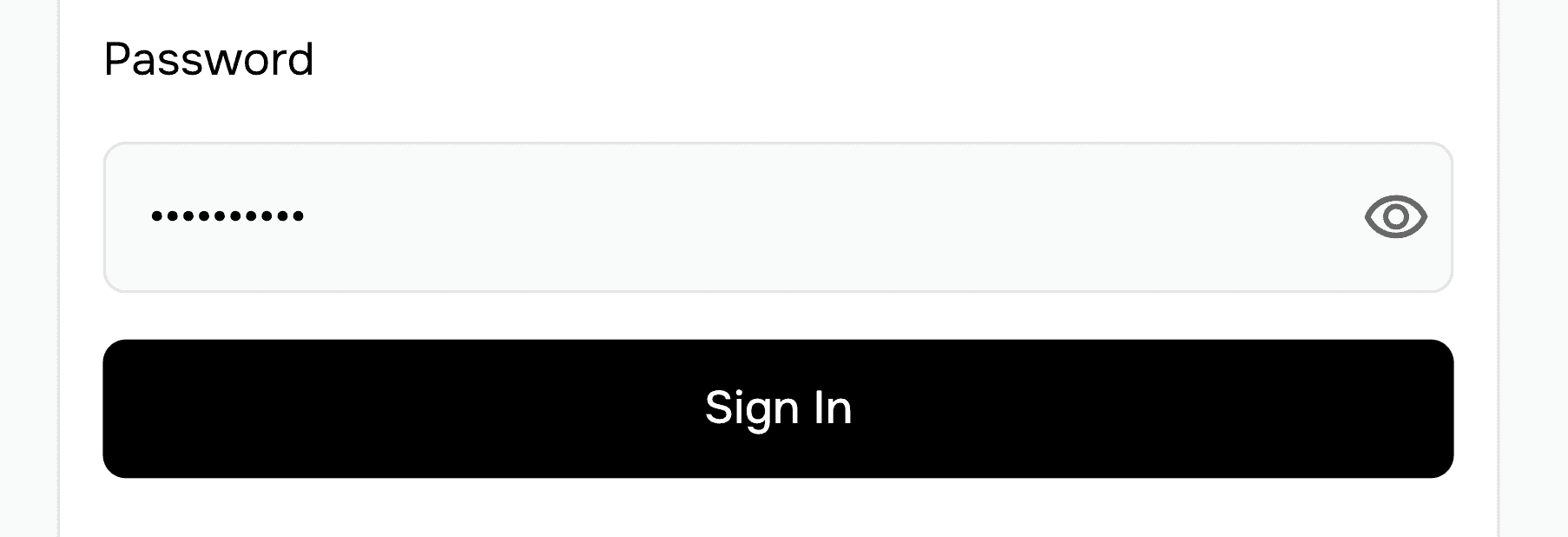
While entering a password in FramerAuth forms, by default, the password is hidden. Members can now un-hide the password by toggling the icon. If you'd like to enable or disable this feature go to Input > Icon (you may need to scroll down) in the controls of your form.
Customize labels
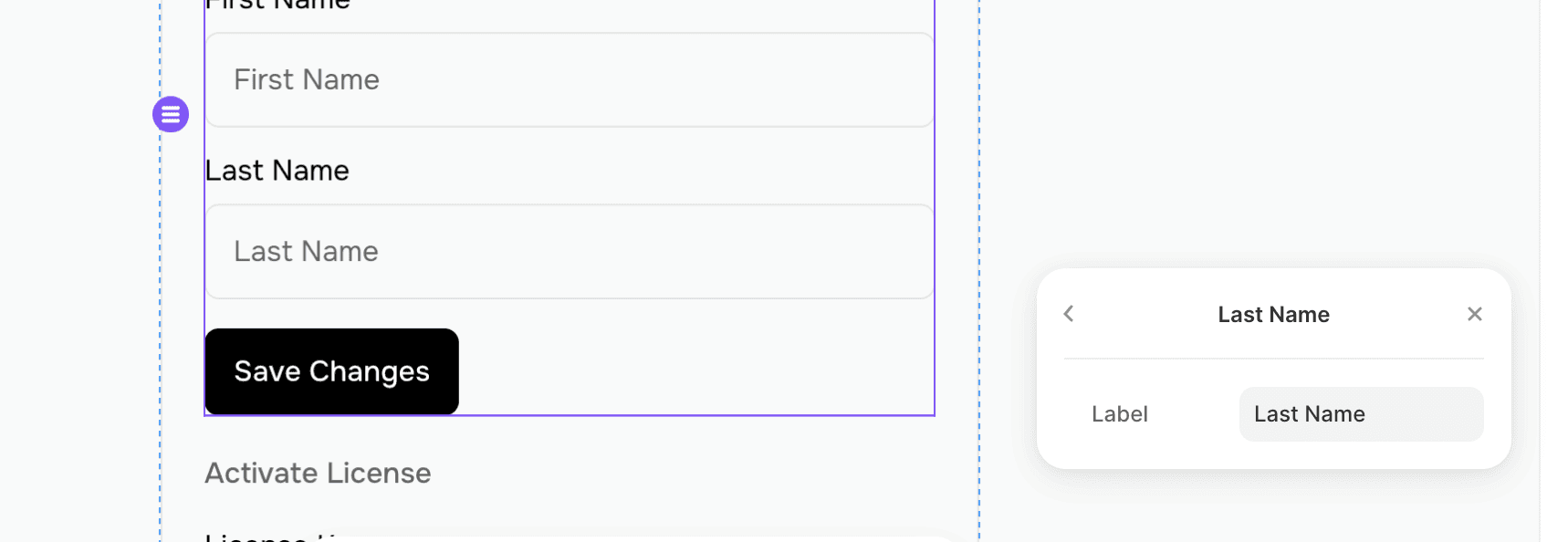
You can now change the labels on all of the forms to anything you'd like, even different languages. For example, change "Last name" to "Surname."
Click "Inputs" in the form controls then select an input to make use of this feature.
Add interactions to forms
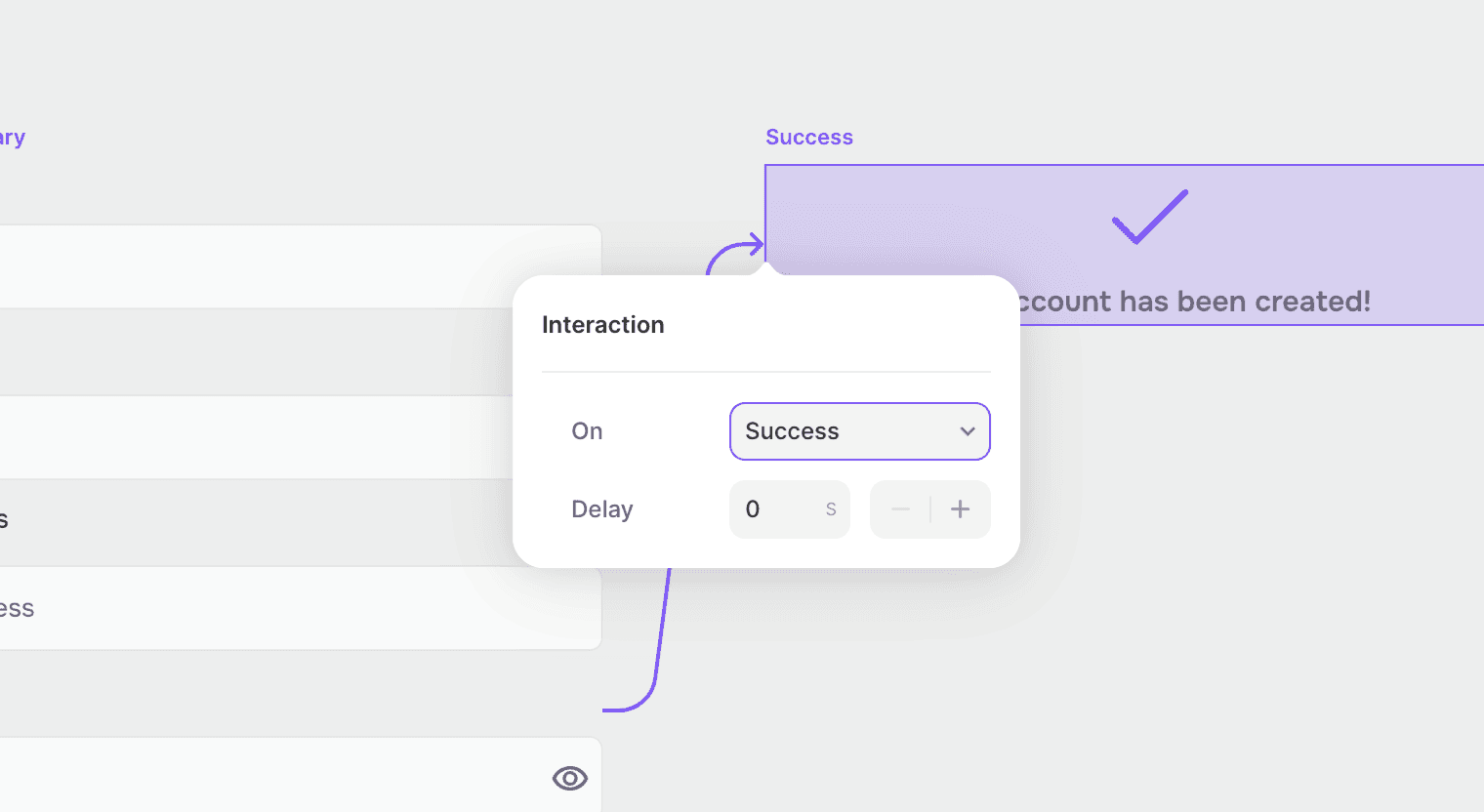
This feature enables two new interactions, Success and Error. You can now trigger a modal/pop-over or change variant on Error/Success.
Create pop-over/modals: Select form > add overlay > show on (Error/Success)
Change to a variant: Turn form into component > create another variant > drag connector to second variant > on (Success/Error) change variant
Remove asterix from labels
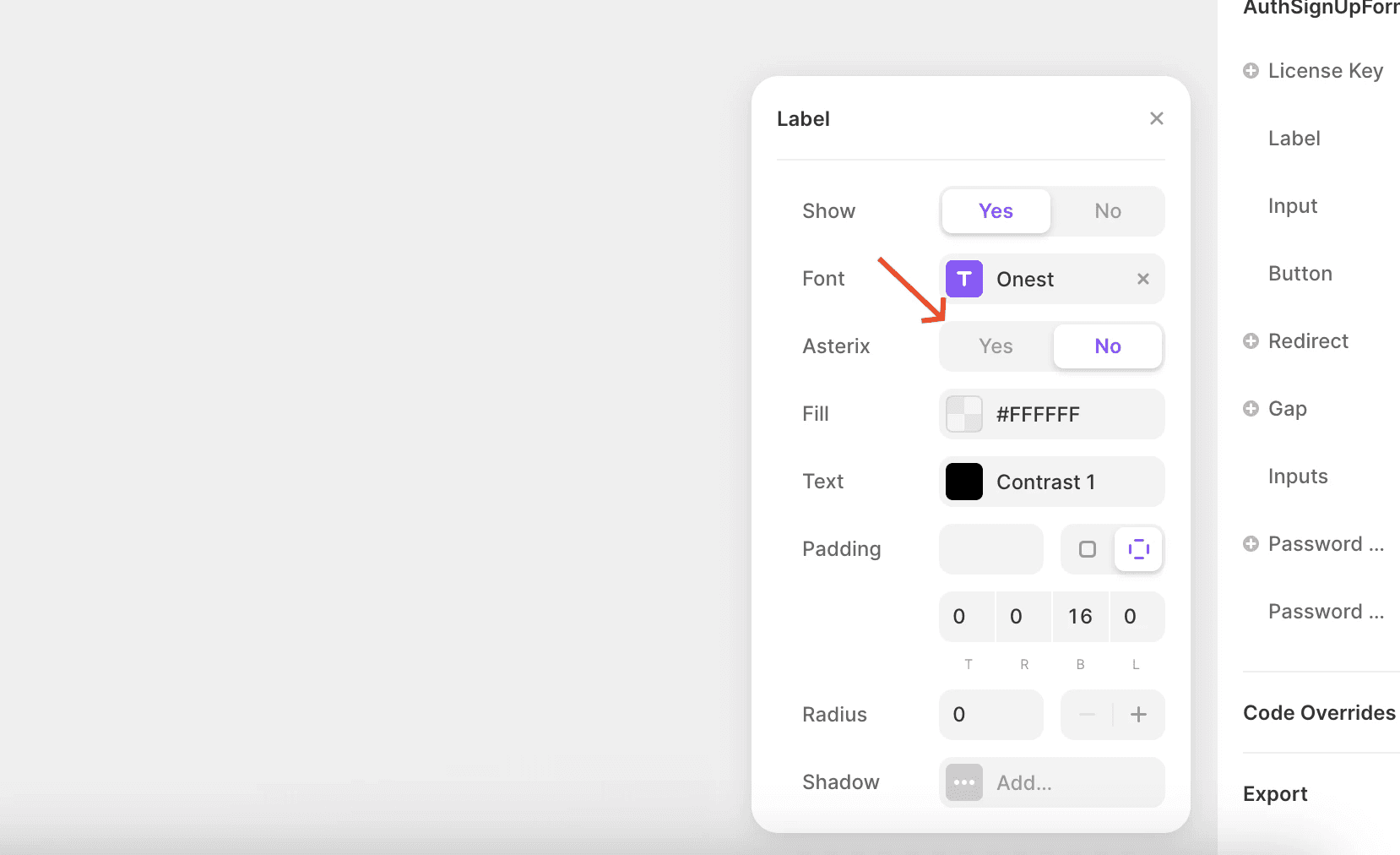
Previously by default all form labels included an asterix. This is now configurable and can be turned off. Go to Label > Asterix to make adjustments.
Password validator controls

You now have full control over the design aspects of the password validator. Toggle password validator on to customize how it looks.
Set button to start, center, end, or stretch
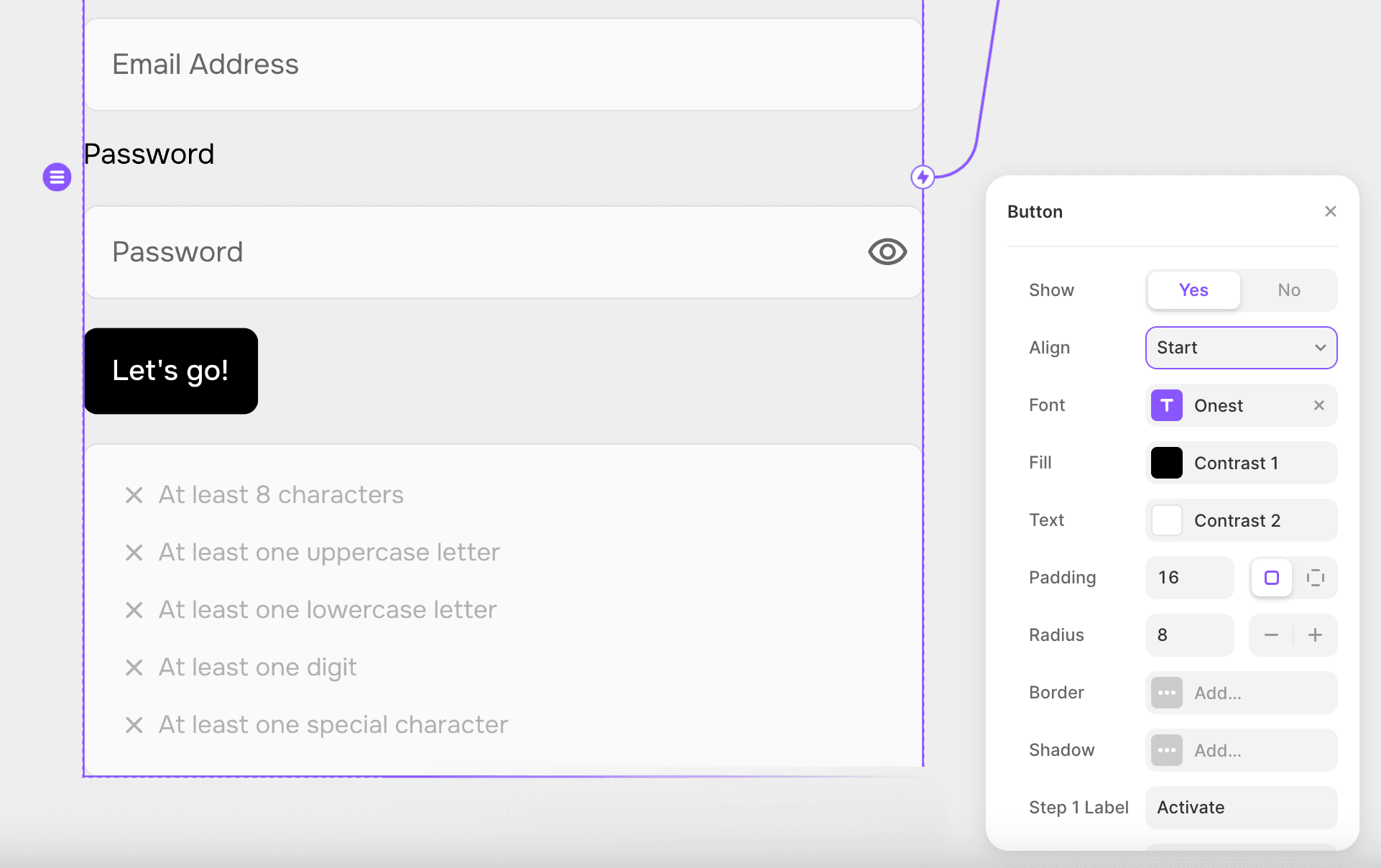
Previously, by default, all buttons were set to stretch. You now have more flexibility with how your button is displayed. Set button alignment to start, center, end, or stretch.
Additional updates
Forms previously would go blank on successful submission - this has been fixed in this update.
Change the label for step 1 and 2 of the sign up form.
Adding a border to buttons is now supported.
Forms now include a redirect control which can be used to redirect on successful submission.
When setting a new password the form now includes a "confirm password" field.
Component update:
Not required
Ability to disable email invitation
Have more control of the branding, copy, and design of the invitation email
We've enabled the ability to disable the email invitation that is automatically sent by FramerAuth to new members.
When inviting a member you will now see this option:
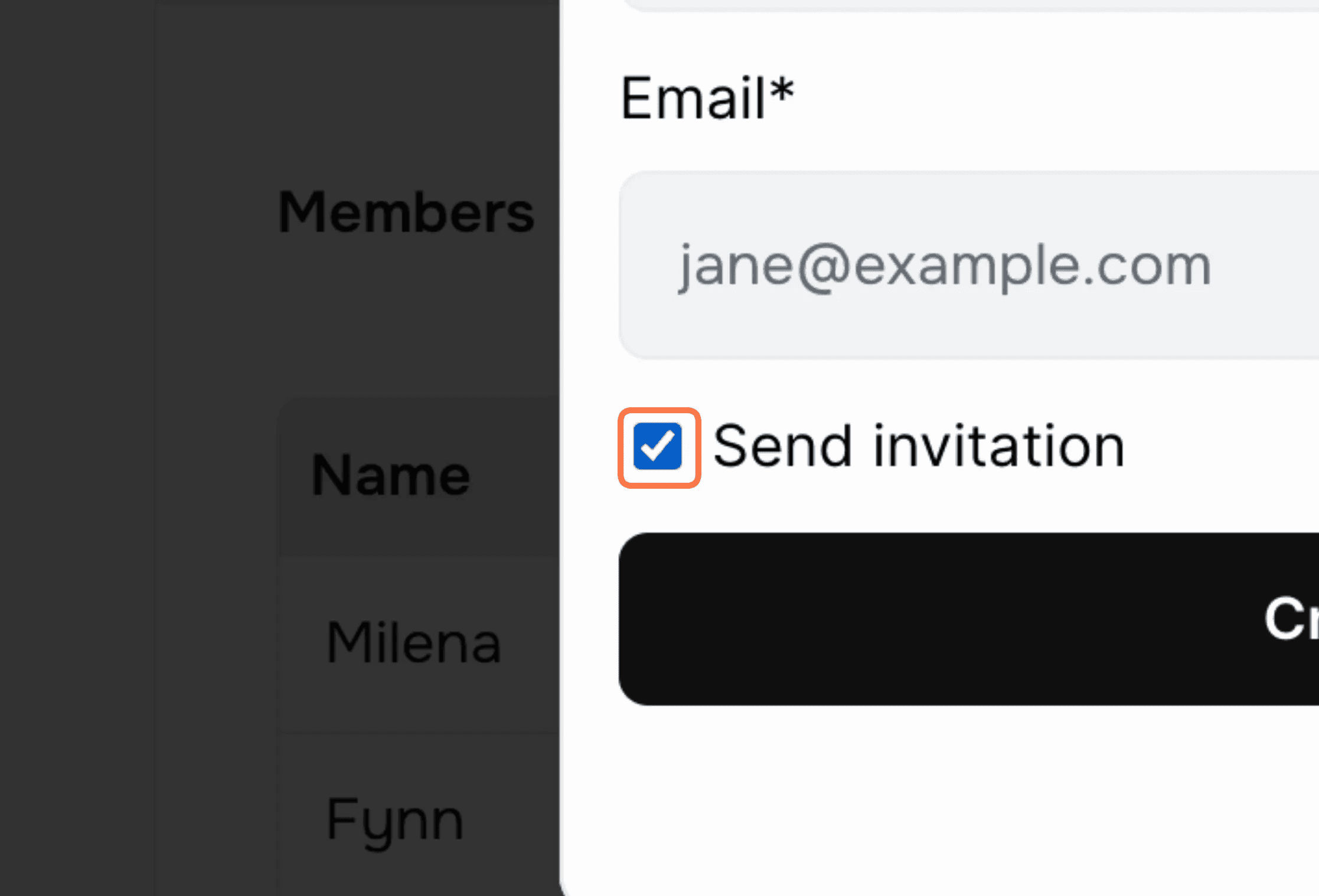
Deselecting send invitation when inviting a member means the invited member will not receive an email from us on your behalf, you will need to send one.
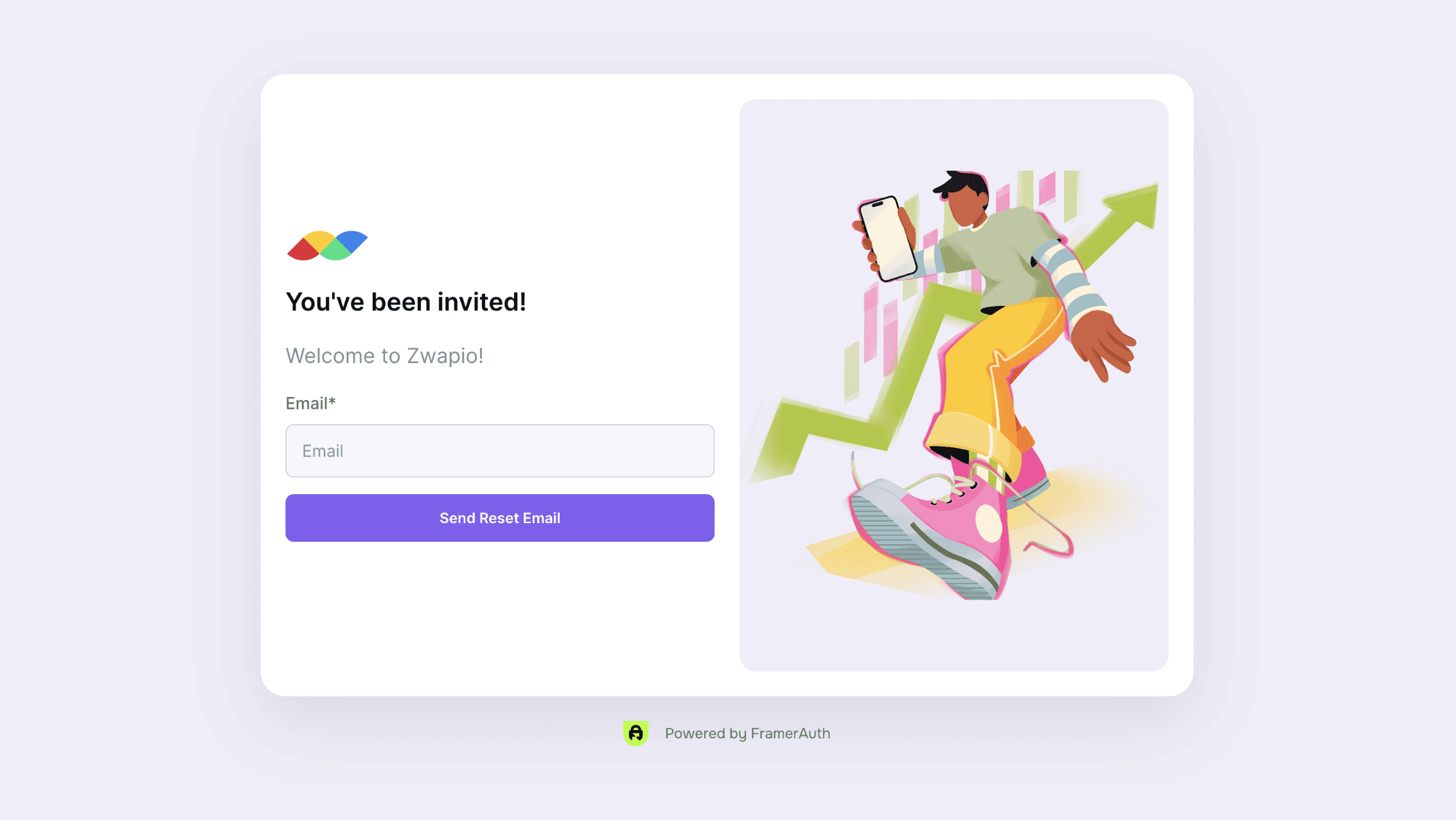
A personalized invitation page in Framer example:
Component update:
Required
Bug fix for Activate License component
We've pushed a small bug fix which requires the activate license component to be updated.
Some users were experiencing a bug when activating license keys via the AuthActivateLicense component which would display a "license key invalid" or other errors.
This has now been fixed so if you are utilizing this component, you should update the component in the asset panel:
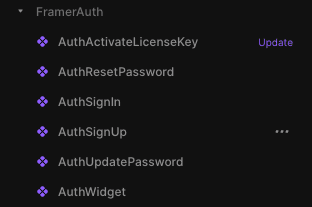
Once the update is complete please publish your website. No other changes or actions are required.
Component update:
Not required
Delete members
Introducing the ability to manually remove a member's access to your website.
We've added the ability to manually remove a member's account from your website. We understand that managing user accounts effectively is crucial for maintaining a healthy online community or ensuring compliance with your organization's policies. With this new feature, you have even greater control over your user base.
How It Works:
Go to your Members page and click on the row of the member you'd like to remove.
You will then see a modal with a "delete member" button.
Click to remove the member

Disabling a license key:
If you're using the Lemon Squeezy integration, you may see a message that the member has an active license. Their license key needs to be disabled before they can be removed.
Go to Licenses and click on the
...menu icon on the license you want to disable.Click on the Disable key option and confirm.

Component update:
Not required
New Overrides for Active Licenses
New overrides to enable flexibility for displaying content to users with no license or an expired one
Updates:
Introducing three new overrides to better improve the flexibility of how you display content on your website to customers of your Lemon Squeezy product. They allow you to conditionally display content on your website to members with an active license.
The newly added overrides are withActiveLicense, withNoActiveLicense, and withVariantActiveLicense
withActiveLicense:
Display this frame/component only to members who have an active Lemon Squeezy license - perfect for locking content.
withNoActiveLicense:
Display this frame/component only to members who DO NOT have an active Lemon Squeezy license. For example, "Upgrade now!"
withVariantActiveLicense:
Similar to "withVariant" this override displays the locked variant of a component only to members who DO NOT have an active Lemon Squeezy license and the unlocked version to members who have an active license
Component update:
Required
New member features
Various updates to how members are managed including the ability for expired members to re-activate, free members to upgrade, small bug fixes, and more.
Updates:
Sign-up without a license key and upgrade later
Member upgrade/renewal
Updated sign-in component
Support for license keys issued before activating FramerAuth
Data migration for multi-product support
Fix custom cursor bug
⚠️ Action May Be Required:
To facilitate seamless upgrades from free to paid accounts, we have implemented a minor change that may require your action. For members who currently have access to your website, access adjustments have been made. These members will now be able to access only the pages that do not have a Lemon Squeezy (LMS) product assigned, contrasting the previous setting where they had access to any locked page on your site.
Action to take:
For users who setup with Lemon Squeezy: If any member who has an account to your website should be able to access locked pages, please navigate to Pages in the dashboard and remove the product displayed for the pages you’d like all logged in members to be able to access.
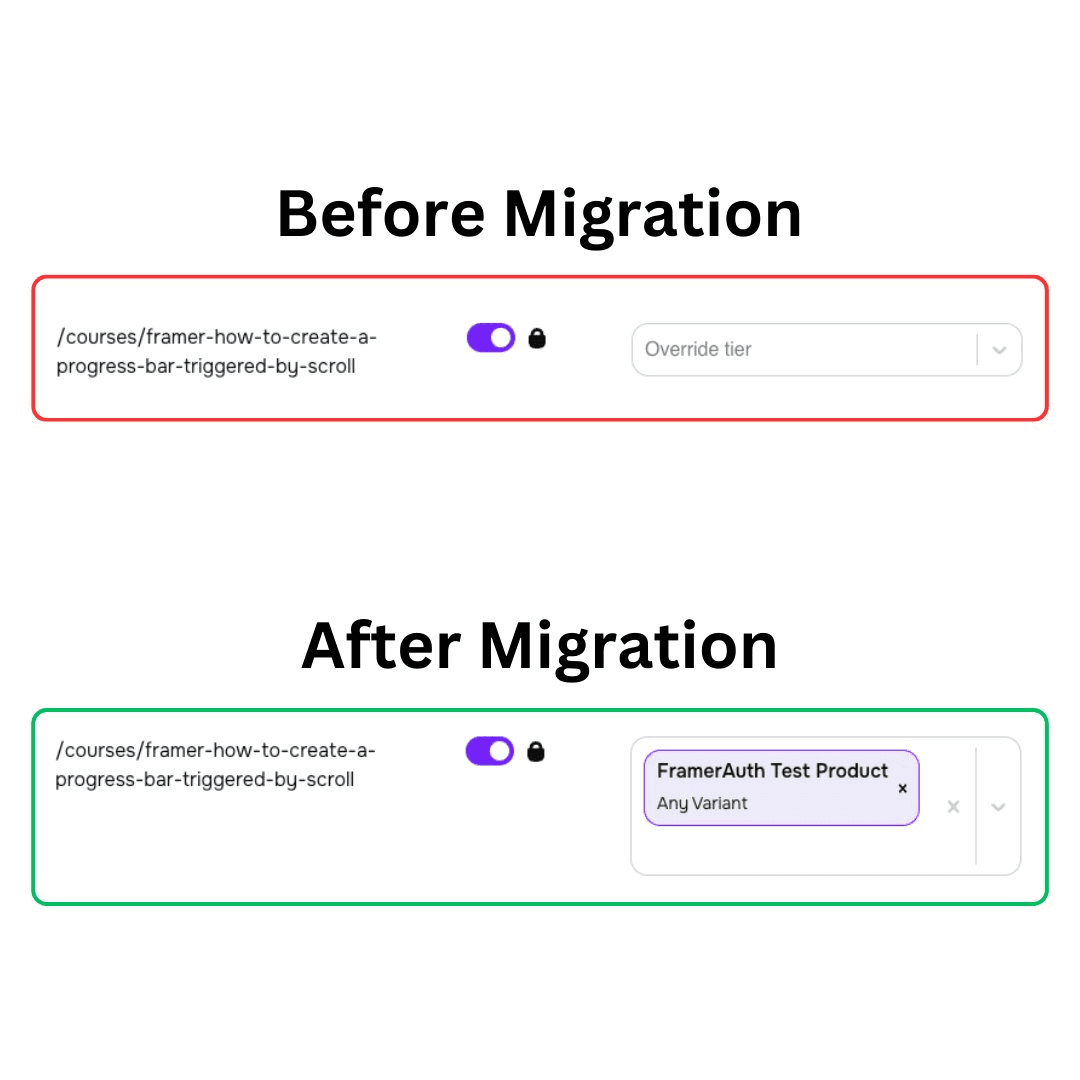
If you've set up locked pages previously without assigning a LMS product, you'll notice an "Any Variant" label under the product name on your Members page. Manually invited users and free users will not have access to pages that display an LMS product in the “Product” column. By removing the product from the product column and simply making the page “Locked” this will ensure that anyone with an account can access that page.
New Updates:
Sign-up without license keys and upgrade later
Previously, your store could be activated with LMS and a purchase was required to sign up on your website or you could setup without LMS and visitors could sign up without completing a purchase.
We've now introduced a hybrid modal that enables visitors of your website to sign up for an account and consider upgrading to a paid account at their convenience, enhancing flexibility and user engagement.
To enable this, you will need two things:
Go to Settings and uncheck "Signup requires License Keys" (if you do not see this option then you signed up after the update and it's auto-enabled)
Add our new Activate License Key component from the setup page to a new page on your website /activate
Member Account Renewal / Upgrade
A new component lets your users activate license keys whilst logged in. This feature pairs perfectly with the previous one, allowing free users to upgrade to a paid plan. It also lets users with an expired license activate a new license.
Updated Sign-in Component
To improve the checkout flow for users looking to leverage the above features, we have upgraded the Sign In component to support the Lemon Squeezy URL parameters and handle logged-in/out users. /sign-in?license_key=[license_key]
Support for previously issued license keys
With more users migrating their existing sites to FramerAuth, we have added support for keys that were created/ issued before setting up FramerAuth and LMS.
If you previously did not have license keys enabled, you can reach out to LMS support to have license keys issued for existing customers. Contact LMS
Data Migration for Multi-Product Support
Under the hood, we have performed a data migration, which unlocks support for selling multiple products, not just product variants. We are still finalizing the UI, but the groundwork has been completed.
Keep an eye out for this update coming soon which enables you to support multiple products through FramerAuth. For example, if you have three eBooks, you can begin selling licenses to them individually.
Bug Fix Framer Custom Cursor
We have fixed a compatibility issue with Framer's new custom cursors feature.
Component update:
Not required
Manually add members
Add your existing users manually through the dashboard members page
Manually Add Members
A new option on the members page means you can now manually invite users to access your website and create an account. Invited members will receive an email from FramerAuth that will direct them to your /update-password page where they can set a password then sign in.
Refactor sync pages
Pages will now sync to current sitemap of your URL. If you have re-named a page or removed one FramerAuth now handles these cases better.
Component update:
Not required
New pages - Store and Settings
New pages to improve management of store and website settings
Settings Page
The new Settings page now makes it possible to change the URLs of your test and live website.
Store Page
The new Store page makes it simple to add a Lemon Squeezy store to your FramerAuth account if you opted out of setting it up during onboarding. You can also use this page to see which products are tied to your test and live domains.